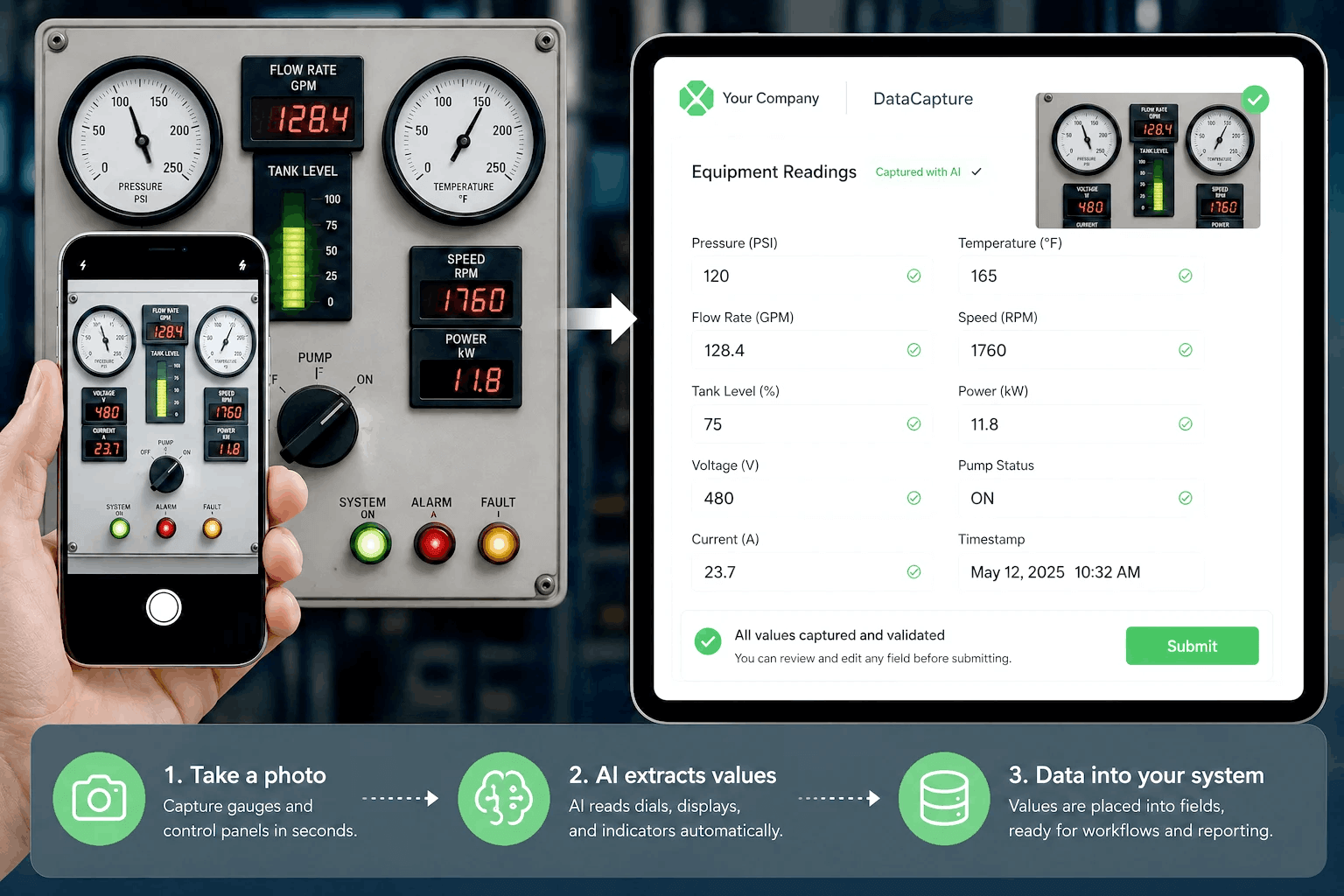
Data-centric vs. process-centric: why it matters on the shop floor

AppSheet's architecture requires that every element of your app — fields, logic, UI — exists first in a database. You configure the spreadsheet columns, connect AppSheet to that source, and the app generates from your data structure. For teams with clean, well-organized data already in Google Sheets, this works well.

Manufacturing ops teams digitizing paper processes usually do not start with clean data. They start with a paper form, an SOP binder, or a quality procedure that lives in someone's head. Building a database first, before you can build any workflow, adds a setup phase that delays deployment and requires someone technical to structure the data correctly.

Alpha TransForm starts from the process. You describe your inspection steps, your conditional logic, your escalation paths — and the workflow is built from that. No database required before you can start.

Where this plays out in a manufacturing evaluation

  • A quality manager wants to digitize a 12-step machine inspection with conditional escalation. With AppSheet, they set up the Sheets columns first, then build the form. With Alpha TransForm, they start with the 12 steps and build from there.
  • A plant running SAP needs field inspection data to feed the ERP in real time. AppSheet connects to Google Workspace natively but requires REST API setup for SAP. Alpha TransForm includes native ERP integration.
  • A compliance team needs CAPA records created automatically when a defect is flagged. AppSheet's Bot can send a notification. Alpha TransForm creates and routes the full CAPA record automatically from the form submission.
  • An ops director wants to add a field after a product line change. Both platforms allow this — but if the AppSheet data structure was not set up to accommodate the change, the Sheets schema needs updating first.

Competitor Comparison

Alpha TransForm vs. AppSheet: Full comparison

Capability Alpha TransForm AppSheet (Google) Edge
Start building immediately — no database required first Yes — build from your existing SOPs and paper process, no data structure setup needed No — requires a database (Google Sheets or other source) configured before you can build any app Alpha
Built for shop floor manufacturing workflows Yes — purpose-built for operational inspections, CAPA, ERP augmentation, and frontline data capture Partial — general-purpose no-code tool, works for simple inspections but not designed for manufacturing QC complexity Alpha
Complex conditional logic and workflow branching Yes — multi-step logic, conditional fields, escalation routing fully supported Limited — basic conditional logic via AppSheet Bot; complex branching requires workarounds that become hard to maintain Alpha
Offline capability Yes — patented offline-first architecture, every feature works without connectivity, auto-sync on reconnect Yes — solid offline support for core data entry; complex real-time features may not work offline Even
Automated CAPA routing on defect detection Yes — triggers automatically on form submission, fully configurable escalation paths Partial — AppSheet Bot can send notifications; full CAPA workflow automation requires significant configuration Alpha
IoT and sensor data capture Yes — real-time sensor readings integrated into inspection workflows natively No — not supported Alpha
Guided SOPs and in-form worker instructions Yes — video, PDF, and conditional instructions embedded directly in inspection forms No — form-only; no embedded guidance or in-form worker instructions Alpha
ERP integration Yes — native front-end for SAP, Oracle, and others; real-time data push included Limited — integrates with Google Workspace natively; non-Google ERP requires REST API setup Alpha
Rich media capture (photo, audio, GPS, barcode, signature) Yes — all capture types natively supported Yes — photo, GPS, barcode, signature supported; no native audio recording Even
On-premise hosting option Yes — on-premise deployment supported No — cloud-only, Google infrastructure Alpha
Platform stability Consistent platform and roadmap — no rebrand or ownership changes Google acquisition (2020) followed by 2026 stability concerns acknowledged by product team in developer forum Alpha
Pricing Free tier (3 users, 35 forms/month). Business: $30/user/month. Enterprise: flat rate from $99/month unlimited users Free for up to 10 users on core features. Starter: $5/user/month. Core: $10/user/month. Enterprise: custom. Pricing described as confusing by reviewers at scale Even
Google Workspace integration Via API and standard connectors Yes — native Google Sheets, Drive, and Workspace integration AppSheet
Best for Manufacturing ops teams digitizing inspection and quality workflows that need to start from process, not database — with CAPA automation, ERP integration, and IoT capability Google Workspace teams needing general-purpose no-code apps for simple data collection, inventory tracking, or field reporting — built on existing spreadsheet data Even

Where Alpha TransForm and AppSheet diverge in manufacturing

1. The database-first requirement

This is AppSheet's most significant barrier for manufacturing teams. Before you can build anything, you need a structured data source — Google Sheets columns defined, data types set, relationships configured. For a team starting from paper forms, that means a setup phase before any inspection workflow exists.

Alpha TransForm has no database prerequisite. You start with your process — the steps, the fields, the logic — and deploy from there. Most manufacturing customers are running their first live workflow within a week of kickoff.

2. CAPA automation depth

AppSheet's automation tool (AppSheet Bot) handles notifications and basic conditional actions. Full corrective action workflow automation — where a defect flag creates a CAPA record, assigns it, notifies the supervisor, and starts the clock — requires significant configuration work that reviewers consistently describe as complex to maintain as the workflow evolves.

Alpha TransForm triggers CAPA workflows automatically from form submission. The routing logic is set once and runs without IT involvement in day-to-day operation.

3. IoT and sensor data

AppSheet does not support native IoT or sensor data capture. For manufacturers who need to tie machine readings — temperature, pressure, humidity — to inspection records, that gap requires a workaround or a separate system.

Alpha TransForm captures real-time sensor data natively, tied to the specific inspection record, timestamped, and linkable to any CAPA or alert it triggers.

4. Platform trajectory

AppSheet was acquired by Google in 2020. In May 2026, the AppSheet product team posted publicly in their developer forum acknowledging platform stability issues and communication gaps, and committing to a renewed focus on reliability. For manufacturing organizations making a multi-year software commitment, that uncertainty is worth factoring into the evaluation.

Alpha Software has maintained a consistent platform and roadmap without ownership changes or stability concerns.

Where AppSheet is the right choice

AppSheet works well in the right context and it is worth being direct about that:

  • Google Workspace shops where data already lives in Sheets and Drive — AppSheet is native and low-friction for that environment
  • Simple data collection and field reporting that maps cleanly to a spreadsheet structure
  • Teams with a technically capable person who can set up the data model and manage schema changes
  • Organizations that need Google Maps integration, calendar views, or Sheets-based reporting built in
  • Low-cost entry — AppSheet's free tier covers up to 10 users for core features, and paid plans start at $5/user/month

The pattern where AppSheet runs into limits: manufacturing quality workflows with complex conditional logic, CAPA automation requirements, non-Google ERP integration, IoT data capture, or compliance audit trail requirements. Those are the use cases where the data-centric architecture creates friction that grows as the workflow becomes more complex.

Customer Success Story

How Igloo Digitized Manufacturing Quality Control

Igloo Products replaced paper-based audits with a custom mobile manufacturing solution built on Alpha Software — digitizing quality control across 121 molding machines and 18 assembly lines.
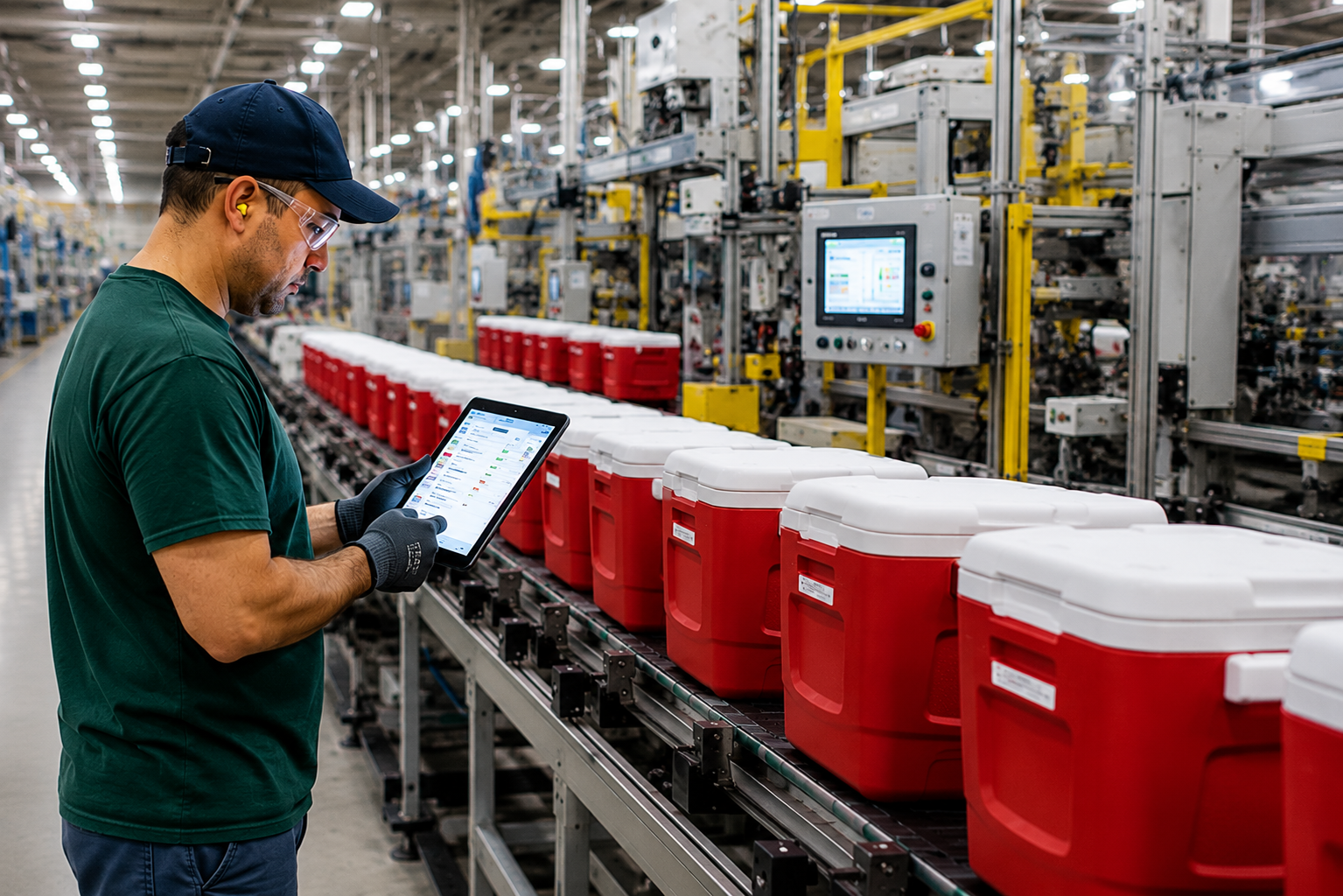
https://106714.fs1.hubspotusercontent-na1.net/hubfs/106714/homepage%20may%202026/Coolers.png

Real results from a real manufacturing environment

$145,000

in annual savings
Reduced manual data entry and paper audits.

100%

paperless operations
All inspections, audits, and reporting on mobile devices.

Zero

data errors
Eliminated handwritten “scribbled note” misinterpretations.

Real-time

production visibility
Faster root-cause analysis and fewer product defects.

“The big plan was to transform everything to the cloud. It’s helped tremendously.”

— John Ng, Manager of Quality Control, Igloo Products
Read the full Igloo case study

DECISION GUIDE

Which tool fits your situation?

Choose Alpha TransForm if… AppSheet may work if…
You want to start from your existing paper process or SOPs, not a database

Your inspection process has multi-step conditional logic or complex branching

You need automated CAPA routing triggered on defect detection

You capture IoT or sensor readings as part of quality workflows

You need guided SOPs or embedded instructions inside inspection forms

You need native ERP integration with SAP, Oracle, or similar

You need on-premise hosting or data sovereignty options

You are in a regulated environment requiring ISO, FDA, or OSHA audit trails

Platform stability and a consistent roadmap are priorities for your organization
Your team already runs on Google Workspace and Sheets

You have an existing spreadsheet or database to build from

Your use case is simple data collection, inventory, or field reporting

You do not need CAPA automation or IoT data capture

You need deep Google Sheets or Drive integration

Your workflows do not require complex conditional logic

You are comfortable with Google cloud-only infrastructure

A free or low-cost entry point is the primary driver

Common questions when comparing these platforms

We already use Google Workspace. Is AppSheet essentially free for us?
AppSheet is included in some Google Workspace plans at the Starter tier (up to 10 users, core features). Beyond that, paid plans run $5-10/user/month for standard features, with enterprise pricing for advanced capabilities. The free inclusion is genuinely useful for simple apps, but manufacturing quality workflows with automation, ERP integration, and compliance requirements typically push into paid tiers quickly.
Can AppSheet and Alpha TransForm run alongside each other?
Yes. Some organizations use AppSheet for simple internal Google Workspace workflows and Alpha TransForm for manufacturing floor operations. They serve different use cases and are not mutually exclusive. If your Google investment is solid for office-based work but you need something purpose-built for the shop floor, running both is a workable pattern.
What happens to our AppSheet apps if Google changes direction on the product?
That is a real question worth asking. Google has a history of discontinuing products, and the May 2026 developer forum post acknowledging stability concerns has raised questions in the AppSheet community about the platform's trajectory. Alpha Software has maintained a consistent product roadmap without ownership changes. If platform longevity is a factor in your evaluation, it is worth weighing.
How long does it take to migrate from AppSheet to Alpha TransForm?
Most teams are live with their first Alpha TransForm workflow within a week. Because Alpha TransForm starts from process rather than data structure, migration typically means rebuilding workflows from your existing SOPs rather than exporting and reimporting data schemas. For teams with well-documented processes, that is faster than it sounds. The typical path is to run Alpha TransForm alongside AppSheet for the first workflow, validate the results, then migrate.
Can Alpha TransForm integrate with SAP or Oracle?
Yes. Alpha TransForm includes native ERP integration and acts as a real-time front-end for SAP, Oracle, and other systems, pushing captured data straight into your system of record. AppSheet integrates natively with Google Workspace, but connecting a non-Google ERP like SAP requires REST API setup.
Does AppSheet work offline in manufacturing plants?
AppSheet offers solid offline support for core data entry, but complex real-time features may not work without connectivity. Alpha TransForm was built offline-first, so every feature works with or without a connection and syncs automatically on reconnect. For plants with dead zones, cold storage, or heavy equipment interference, that difference matters.

See Alpha TransForm built around your manufacturing process

The fastest way to know whether Alpha TransForm is the right fit over AppSheet is a demo built around your actual workflows — starting from your process, not a database.