
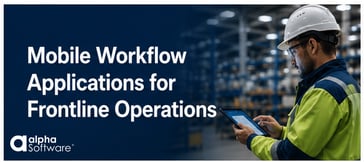
Operational workflows fail when software doesn’t match how frontline teams actually work. Whether the goal is inspections, compliance, ERP execution, reporting, or AI-driven operations, organizations depend on accurate point-of-work data and workflows employees will actually adopt.
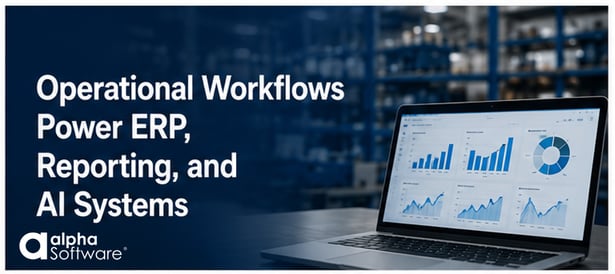
Operational Workflows Power ERP, Reporting, and AI Systems
AI systems, dashboards, ERP reporting, and workflow automation are only as reliable as the operational data behind them. Mobile workflows designed around real-world frontline processes help improve data accuracy, consistency, compliance, and operational visibility.
Operational Workflows Must Work Offline
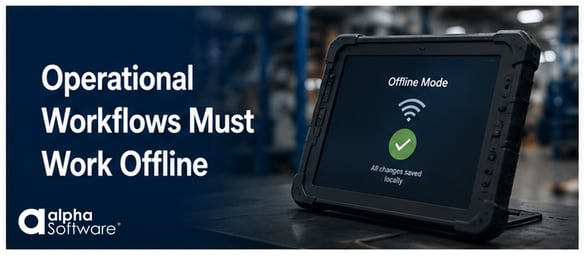 Frontline operations don’t stop when connectivity drops. Manufacturing plants, warehouses, field service environments, transportation operations, and remote job sites often experience unreliable or inconsistent connectivity.
Mobile workflow software must continue capturing data, guiding users through processes, validating information, and supporting critical workflows even when devices are offline. Once connectivity returns, data should synchronize automatically with ERP systems, reporting platforms, and operational dashboards.
Without reliable offline capability, organizations often experience delayed reporting, incomplete records, inconsistent data capture, and reduced user adoption.
Why Frontline Workflow Design Matters
 Many operational workflow applications fail because they are designed around systems instead of people.
Too often, organizations attempt to replicate desktop screens, ERP forms, or paper documents on mobile devices without considering how frontline teams actually perform work in real-world environments.
Effective workflow automation software solutions are designed around:
- the sequence of work employees actually follow
- guided data collection
- simplified mobile interactions
- validation at the point of work
- minimal manual entry
- role-specific tasks and decisions
When workflows match real operational processes, organizations often see stronger user adoption, more accurate data, faster reporting, and improved operational visibility.
Build Workflows Around Real Operational Processes
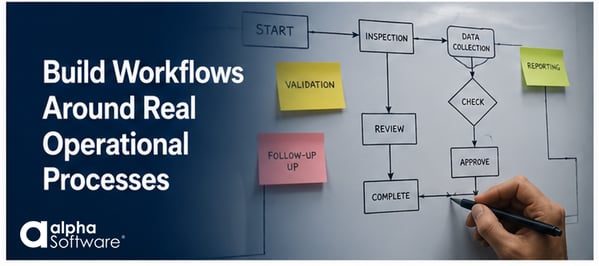 The most effective operational workflow applications are built by observing how work is actually performed.
That means understanding:
- the steps employees follow
- where errors occur
- which data matters most
- where approvals happen
- what information needs validation
- how workers interact with systems in the field
Organizations that involve frontline teams in workflow design often build applications that are easier to use, easier to adopt, and more effective at capturing trusted operational data.
Start Narrow, Then Expand
 Many successful operational workflow initiatives begin with a focused use case:
- inspections
- maintenance workflows
- quality checks
- field service documentation
- compliance reporting
- production data collection
Once organizations improve a single operational process, they often expand workflow automation across additional teams, facilities, and business functions.
Over time, these connected workflows improve operational visibility and provide better data foundations for ERP systems, reporting, analytics, and AI initiatives.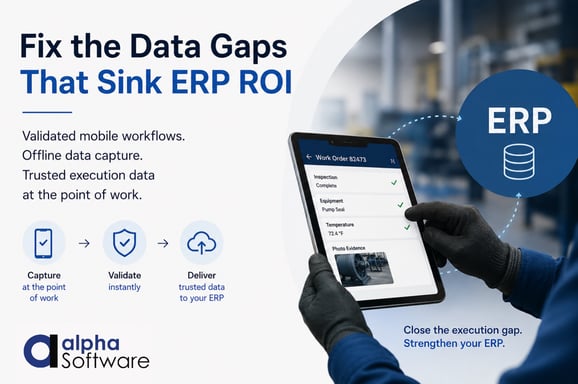
Take the Next Step
Related Resources
- The Achilles Heel of AI and What To Do About It
- Why Your ERP System Needs Offline Capabilities for Modern Manufacturing
- Inspection workflows for Field Data Collection and Reporting
- Operational Solutions for Modern Manufacturing
Mobile Workflow Applications FAQ
What are mobile workflow applications?
Mobile workflow applications are software solutions that guide employees through operational tasks on mobile devices such as tablets and smartphones. These applications help organizations digitize inspections, compliance processes, maintenance activities, field service workflows, production reporting, and other frontline operations, while also improving data accuracy, consistency, and real-time visibility.
Why do operational workflows fail?
Operational workflows often fail when software does not match how frontline teams actually work. Rigid ERP screens, paper-based processes, manual data entry, poor mobile usability, and lack of offline capability can reduce user adoption and lead to delayed, incomplete, or inaccurate operational data. Effective workflows are designed around real operational processes, guided data collection, and frontline usability.
Why is offline capability important for frontline operations?
Many frontline environments experience unreliable or inconsistent connectivity, including manufacturing plants, warehouses, transportation operations, field service environments, and remote job sites. Offline-capable workflow applications allow employees to continue capturing data, completing inspections, and performing operational tasks without interruption. Once connectivity returns, data synchronizes automatically with ERP systems, reporting platforms, and operational dashboards.
How do mobile workflows improve ERP data quality?
Mobile workflows improve ERP data quality by capturing operational data directly at the point of work using guided workflows, validation rules, standardized processes, and simplified mobile experiences. This helps cut down on manual entry errors, delayed reporting, missing information, and inconsistent records, while also improving the accuracy, timeliness, and reliability of data going into ERP systems, dashboards, analytics platforms, and AI initiatives.








Comment