
Find free OSHA safety inspection checklist templates by industry and compare digital tools like Alpha TransForm that turn paper checklists into mobile apps.

Key Takeaways
- Safety inspection checklists are the backbone of workplace safety programs, giving teams a consistent process to catch hazards before they become incidents, injuries, or regulatory violations.
- Most organizations start with paper or PDF templates, which create real problems: manual data entry errors, records that are hard to search, and checklists that go stale when conditions change.
- Alpha TransForm, SafetyCulture, and Fulcrum all convert paper safety checklists into mobile inspection apps, but Alpha TransForm is built specifically for offline-first environments like warehouses, oil fields, and construction sites where connectivity is unreliable.
- Teams using digital inspection tools can close out checklists on the floor, capture photos and GPS coordinates in real time, and give managers instant access to compliance trends without waiting for manual data entry.
- Alpha TransForm lets business users build and deploy a mobile safety inspection app in minutes, with no IT support required and full offline capability. See ready-made inspection app templates.
Why Safety Inspection Checklists Matter More Than You Think
Alpha TransForm, SafetyCulture, and Fulcrum all turn paper safety checklists into mobile inspection apps with offline capability, photo capture, and real-time reporting. Alpha TransForm is the only one of the three built around an offline-first architecture, meaning apps capture photos, GPS, barcodes, and signatures in areas with zero connectivity and sync automatically when a connection returns. For teams inspecting warehouses, oil fields, or remote job sites, that difference determines whether inspection data is complete or full of gaps.
A well-designed checklist protects both workers and the business from fines, legal liability, and operational downtime. The challenge most organizations face is finding the right template for their industry and then making the inspection process consistent enough to sustain over time.
This article covers both. It breaks down checklist use across industries including manufacturing, construction, healthcare, oil and gas, food service, and fleet management. It compiles free, downloadable templates from OSHA, Cal/OSHA, and NC DOL. It then compares Alpha TransForm, SafetyCulture, and Fulcrum to help teams move from paper checklists to mobile-ready tools with offline access, photo capture, and real-time reporting.
|
Alpha TransForm: Digital Solutions to Collect, Analyze, and Act on Data Turn Paper Forms Into Mobile Apps in Minutes | No IT Team Required | Works Offline | Trusted by Manufacturing & Field Teams  Why Business Leaders Choose Alpha TransForm: ✓ Built-in custom dashboards and workflows to trigger business activity✓ Seamless integration with existing business systems ✓ Replace Excel with digital data collection and analysis ✓ Rapid digitization—build apps in days without IT bottlenecks ✓ Proven ROI with scalable start-small approach ✓ Trusted by manufacturing, construction, and healthcare leaders From Paper to Digital in 3 Steps 1. Upload your paper form or start from scratch2. Customize fields and logic as needed 3. Deploy to mobile devices and start collecting data instantly Stop losing time with paper processes. Start delivering business value today.
|
What Industries Use Safety Inspection Checklists?

Safety inspection checklists are essential across industries like manufacturing, construction, healthcare, and food service to reduce hazards.
Safety inspection checklists are not limited to a single sector. Nearly any industry where workers interact with equipment, chemicals, vehicles, or physical environments can benefit from structured inspections. Here are some of the most common.
Manufacturing and warehousing teams use checklists to evaluate machine guarding, lockout/tagout procedures, forklift conditions, PPE compliance, and housekeeping standards. These environments often involve heavy equipment and repetitive tasks, making routine inspections essential for catching wear-and-tear hazards early.
Construction sites rely on daily and weekly checklists covering fall protection, scaffolding stability, electrical safety, trenching protocols, and fire prevention. Because job-site conditions change constantly, portable, easy-to-use checklists are critical for foremen and safety officers.
Oil, gas, and energy operations face unique hazards, including confined spaces, high-pressure systems, and remote work locations. Checklists in this sector address everything from pipeline integrity and gas detection equipment to emergency response readiness, often in environments with limited or no internet connectivity.
Healthcare facilities use inspection checklists to manage infection control, sharps disposal, PPE availability, emergency exits, and proper storage of hazardous drugs. Compliance with both OSHA and industry-specific standards, like those from the Joint Commission, makes documentation essential.
Food service and food manufacturing operations depend on inspection checklists for sanitation, temperature monitoring, pest control, equipment cleanliness, and labeling accuracy. These checklists often align with FDA Good Manufacturing Practices (GMP) and HACCP plans.
Fleet management and transportation companies use vehicle inspection checklists to verify tire condition, brake function, lighting, fluid levels, and cargo securement before every trip. The FMCSA's pre-trip inspection requirements make these checklists a legal necessity for commercial vehicles.
The common thread across all these industries is straightforward: a standardized checklist reduces human error, creates a documented record, and ensures nothing important gets overlooked.
Where Can You Find Free Safety Inspection Templates?
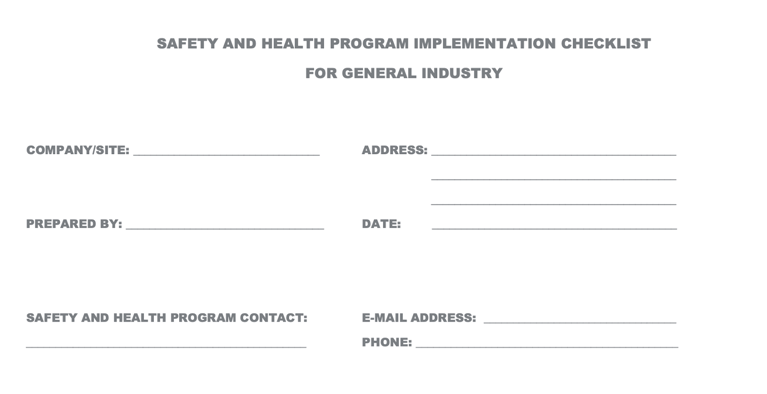
Government agencies like OSHA and Cal/OSHA offer free, downloadable safety inspection checklist templates that organizations can customize.
You don't need to build a safety inspection checklist from scratch. Several government agencies and public institutions publish free, downloadable templates that organizations can customize. Here are some of the most useful resources:
OSHA Safety & Health Program Implementation Checklist — This PDF checklist from OSHA covers the foundational elements of a workplace safety and health program, including hazard identification, employee training, and recordkeeping.
Cal/OSHA Sample Safety Inspection Checklist — Published by the California Department of Industrial Relations, this template covers floors and walkways, ladders and fall protection, chemical hazards, biological hazards, and more. It uses a simple yes/no format designed for regular workplace walkthroughs.
North Carolina Department of Labor – General Industry & Construction Checklists — NC DOL provides both short and long versions of customizable inspection checklists for general industry and construction, available in English and Spanish. Access them here.
Washington State Department of Labor & Industries – Self-Inspection Worksheet — This resource includes a customizable template and practical guidance on adapting the checklist to your specific operations.
These templates are excellent starting points, but paper and PDF formats carry real limitations. They require manual data entry, are difficult to update across a distributed workforce, and produce records that are hard to search, analyze, or act on quickly. That is where digital tools come in.
Top 3 Digital Tools for Safety Inspection Checklists
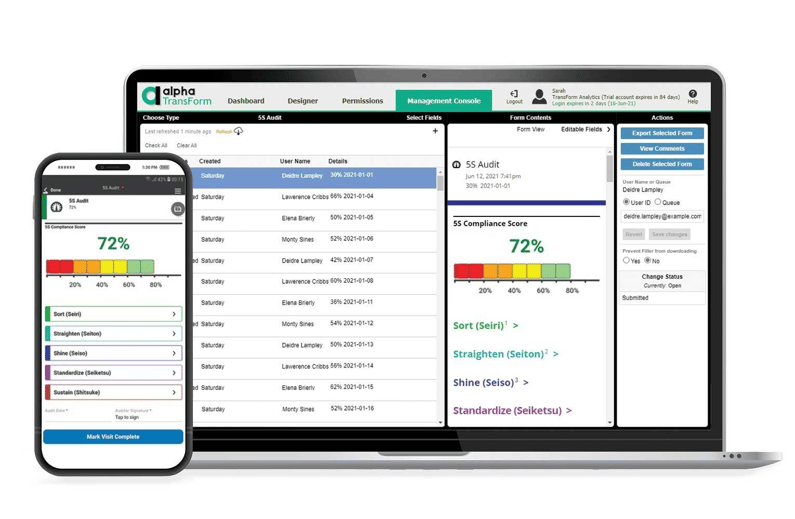
Digital tools like Alpha TransForm, SafetyCulture, and Fulcrum turn paper safety checklists into mobile-ready apps with real-time reporting.
Digital inspection platforms take static paper checklists and turn them into flexible, mobile-ready tools with features like photo capture, GPS tagging, conditional logic, and real-time reporting. Below are three platforms worth evaluating.
1. Alpha TransForm
Alpha TransForm is a no-code platform built for business users who need to digitize paper forms and checklists quickly, without waiting on IT. An operations manager or safety lead can upload an existing paper checklist, customize fields and logic, and deploy a mobile inspection app the same day.
The platform is purpose-built for demanding environments like manufacturing floors, warehouses, construction sites, and oil fields, where offline reliability is non-negotiable. Apps built with Alpha TransForm work fully offline, capturing photos, signatures, GPS coordinates, timestamps, and barcode scans even in areas with no connectivity. Data syncs automatically when a connection is restored.
Built-in dashboards and alerts let managers act on findings immediately, while integrations with existing business systems keep inspection data flowing into the workflows that matter. We offer ready-made inspection app templates, including an OSHA Self-Inspection App and Equipment Inspection Checklist, that teams can customize and deploy right away. Pricing starts at $30/user/month.
2. SafetyCulture (formerly iAuditor)
SafetyCulture is a mobile inspection platform with a large library of pre-built checklist templates spanning construction, manufacturing, hospitality, and more. It includes a drag-and-drop template builder, automated report generation, and automated assignment of follow-up actions.
SafetyCulture includes offline functionality and syncs data when reconnected. The platform has a premium plan starting at $24 per seat per month when billed annually. Enterprise pricing is custom.
3. Fulcrum
Fulcrum is a field data-collection and inspection platform with strong geospatial capabilities, making it a good fit for industries such as utilities, environmental services, and infrastructure. It offers offline data capture, photo and video recording, barcode scanning, and GIS integration.
Fulcrum's Professional plan starts at $43 per user per month when billed annually, with a minimum of three users per organization. The Elite plan adds AI features and advanced integrations at $39 per user per month on an annual commitment. Fulcrum's advanced report customization requires HTML knowledge, which may be a barrier for non-technical users.
Digital Safety Inspection Tools: Summary Table
|
Feature |
Alpha TransForm |
SafetyCulture |
Fulcrum |
|
Best For |
Manufacturing, field ops, offline-first teams across industries |
Multi-industry inspections and audits |
GIS-heavy field data collection |
|
Builder Type |
No-code (business-user-friendly) |
Drag-and-drop template builder |
Drag-and-drop app builder |
|
Offline Capability |
Full offline with auto-sync |
Offline with sync-on-connect |
Offline with auto-sync |
|
Photo/Media Capture |
Photos, signatures, barcodes, and GPS |
Photos, annotations, video |
Photos, video, audio, and GPS |
|
Dashboards & Analytics |
Built-in custom dashboards |
Basic (Free) / Advanced (Premium) |
Dashboard integration available |
|
Integrations |
Bi-directional API; existing business systems |
Out-of-the-box and custom (Premium+) |
Esri ArcGIS, API access (Elite+) |
|
Starting Price |
$30/user/month |
Free (limited) / $24/seat/mo (Premium) |
$43/user/mo (annual) |
The Fastest Way to Turn a Paper Safety Checklist Into a Mobile App

Alpha TransForm lets teams digitize paper safety checklists into offline-capable mobile apps without coding or IT support.
We built Alpha TransForm because too many safety and operations teams were stuck with paper checklists, spreadsheets, and IT backlogs that slowed down critical work. Our platform lets business users turn any paper inspection form into a mobile app in minutes, with no coding required and no waiting for IT.
Because Alpha TransForm is built offline-first, inspectors working in warehouses, oil fields, and job sites close out checklists on the floor instead of hauling paperwork back to a desk. Photos, signatures, GPS coordinates, and barcode scans all travel with the record even in dead zones, and sync the moment a connection returns.
That means managers can pull up compliance gaps, safety trends, and open corrective actions across every location without waiting for someone to type up yesterday's notes. Alpha TransForm connects to your existing business systems, so inspection data flows straight into the workflows your team already uses.
FAQs
What should a safety inspection checklist include?
How often should workplace safety inspections be conducted?
Can I customize a government safety inspection template for my industry?
What is the advantage of digital inspection checklists over paper?
How does Alpha TransForm help with safety inspections?
*Note: Alpha TransForm is a no-code app builder developed by Alpha Software. Product features, availability, pricing, and results referenced are for informational purposes only and subject to change; actual capabilities and outcomes may vary based on configuration and use case. To confirm current offerings and pricing, talk to a Solutions Consultant.






Comment