

Get a free public works inspection checklist template. Digitize paper inspections, ensure compliance, and streamline municipal operations.
Key Takeaways
- Public works inspections evaluate roads, water systems, traffic signals, and parks to protect public safety and ensure regulatory compliance.
- Standardized checklists reduce oversight risks by providing structured documentation for safety hazards, maintenance needs, and corrective actions.
- Mobile-first inspection tools eliminate paper bottlenecks and work offline at remote job sites, allowing field teams to capture data instantly and sync automatically when connectivity returns.
- Alpha TransForm converts paper inspection forms into mobile apps in hours, giving public works departments real-time visibility, automated workflows, and seamless integration with existing municipal systems.
Why Public Works Inspection Checklists Matter
Infrastructure projects involve multiple stakeholders working across different phases of construction and maintenance. Without structured inspection processes, departments struggle with incomplete records, miscommunication, and safety oversights, leading to costly corrections and public complaints.
A well-designed inspection checklist provides a roadmap that guides inspectors through every critical element of a project. Field teams can identify potential hazards before they become emergencies, ensure compliance with local and federal regulations, and document findings to support clear accountability.
When everyone follows the same standardized process, inspection quality improves across all locations and shifts.
|
Alpha TransForm: Digital Solutions to Collect, Analyze, and Act on Data Turn Paper Forms Into Mobile Apps in Minutes | No IT Team Required | Works Offline | Trusted by Manufacturing & Field Teams  Why Business Leaders Choose Alpha TransForm: ✓ Built-in custom dashboards and workflows to trigger business activity✓ Seamless integration with existing business systems ✓ Replace Excel with digital data collection and analysis ✓ Rapid digitization—build apps in days without IT bottlenecks ✓ Proven ROI with scalable start-small approach ✓ Trusted by manufacturing, construction, and healthcare leaders From Paper to Digital in 3 Steps 1. Upload your paper form or start from scratch2. Customize fields and logic as needed 3. Deploy to mobile devices and start collecting data instantly Stop losing time with paper processes. Start delivering business value today.
|
Essential Components of a Public Works Inspection Checklist
 Infrastructure Elements
Every inspection must evaluate the condition of critical infrastructure assets. Roads and highways need checks for cracks, potholes, and surface deterioration. Sewer and water systems require inspection for leaks, blockages, and corrosion. Storm drains must be clear of debris and functioning properly to prevent flooding during heavy rain.
Traffic signals, street lighting, and road signage all need verification of functionality and visibility. Parks and recreational areas require assessment for safety hazards, cleanliness, and maintenance needs. Digital checklists can include conditional logic that prompts inspectors to capture additional details when specific issues are identified. This ensures thorough documentation without slowing down routine inspections.
Safety & Compliance Elements
Safety standards protect both workers and the public. Fire protection systems, including extinguishers, sprinkler systems, and alarms, must be regularly inspected and tested in accordance with code requirements.
Mobile inspection apps streamline public works documentation with photo capture,
GPS coordinates, and digital signatures that replace paper processes.
Emergency generators require verification of proper installation and adherence to regular testing schedules. Hazardous materials require checks for appropriate storage, labeling, and handling procedures.
Mobile inspection apps can include photo-capture requirements for each safety item, creating visual evidence to support compliance documentation and protect departments from disputed findings.
Documentation & Reporting Elements
Thorough documentation creates accountability and supports decision-making across the organization.
Inspection forms need space for detailed inspector notes that capture observations, findings, and recommendations. Corrective actions must be documented with clear descriptions of issues identified and steps taken to address them.
Visual evidence strengthens inspection records. Photos attached directly to specific checklist items provide context that written notes alone cannot capture. GPS coordinates automatically recorded with each inspection verify the exact locations of infrastructure issues.
Digital signatures from inspectors confirm when assessments were completed, and timestamps create audit trails that satisfy compliance requirements.
Building Your Public Works Inspection Process
 Step 1: Map Your Current Workflows
Start by documenting how inspections happen today. Which infrastructure types require regular inspection? What regulatory standards must be verified? Who needs access to inspection data, and what decisions depend on having accurate records? Understanding current processes helps identify the highest-impact opportunities for digitization.
Step 2: Deploy Mobile-First Inspection Tools
Alpha TransForm converts existing paper checklists into mobile apps without requiring IT resources or extensive training. Upload your current insepction checklist template, customize fields and logic to match your workflow, and deploy to inspector devices in hours rather than days.
Here are the features specifically designed for field work:
Public works departments can digitize inspections, leading to more efficient processes.
- Photo capture with automatic timestamps creates visual documentation of infrastructure condition.
- Barcode scanning links inspections to specific asset IDs in municipal systems.
- GPS coordinates map the exact locations of findings, making it easy for maintenance crews to locate issues.
- Digital signatures replace paper sign-offs, and conditional logic guides inspectors through complex checklists based on specific configurations.
Step 3: Integrate with Municipal Systems
Digital inspection data flows directly into the systems teams already use. Real-time dashboards give supervisors and department leaders instant visibility into inspection activity, compliance status, and maintenance needs across all locations. Automated reports replace manual compilation of inspection data, saving administrative time while providing more accurate information for decision-making.
Example Templates You Can Use
You can download this checklist directly from the source and use it immediately for your public works inspection.
Prince George's County Public Works Inspection Forms
The Prince George’s County Department of Permitting, Inspections, and Enforcement (DPIE) Resources page offers a variety of inspection forms and checklists, including the Construction Inspection Report, Construction Completion Form, Correction Order Form, and the Disconnect Rooftop and Non-Rooftop Construction Inspection Checklist.
Use these documents when you’re undergoing inspections, completing construction phases, submitting correction orders, or finalizing rooftop and non-rooftop installations in Prince George’s County for compliance with local permitting and inspection requirements.
League City’s Public Works Final Utility Inspection Checklist
The Public Works Final Utility Inspection Checklist from the City of League City provides a comprehensive, step-by-step list of inspection items (e.g., clean-outs, meter boxes, manholes, valves, and fire hydrants) that must be verified before scheduling a final building inspection.
Use this checklist when utility work is complete and you’re preparing for the final inspection of utility infrastructure to ensure everything meets grade, spacing, location, and condition requirements.
Why Alpha TransForm Is the Right Solution for Public Works Departments
 Municipal operations demand reliability. When inspectors work at remote infrastructure sites, cellular connectivity often fails, but inspections can't wait for a better signal.
Alpha TransForm's offline-first technology keeps field teams productive regardless of network conditions. Inspectors can capture all required data, photos, and signatures on mobile devices, with everything syncing automatically once connectivity returns.
We also make it easy to go digital fast, without long IT projects or complicated training. Public works departments can start with one critical inspection type and expand as teams see efficiency gains. Most organizations build their first mobile inspection app in hours using familiar templates.
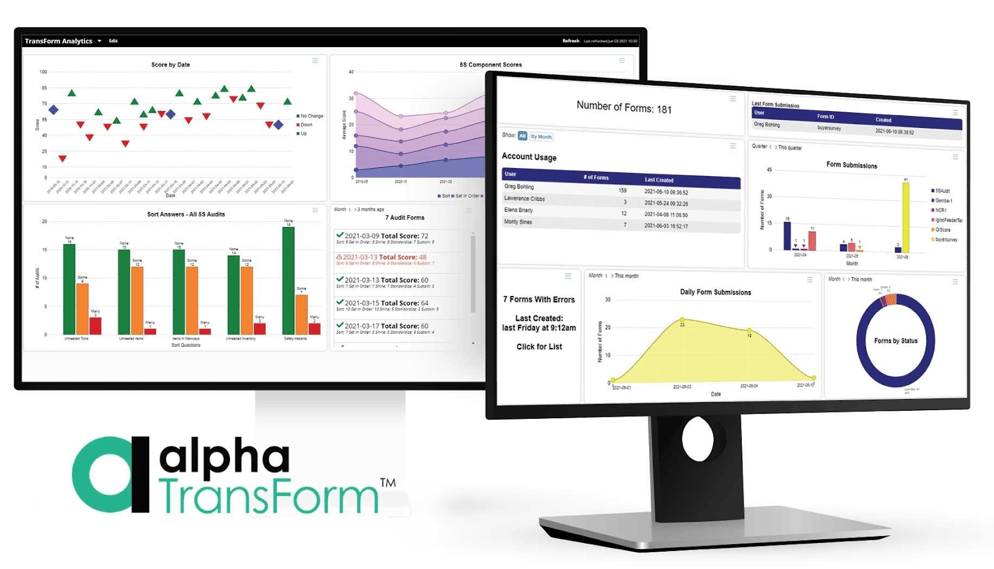
Alpha TransForm provides real-time analytics dashboards that surface inspection trends, compliance status, and maintenance needs across all municipal locations.
Our platform includes features built for field operations. Photo capture ensures visual documentation of infrastructure conditions. GPS timestamps provide exact locations for every inspection. Barcode scanning links assessments to specific assets. Digital signatures create audit trails without paper routing. Conditional logic adapts checklists based on what inspectors find, and automated workflows send urgent issues directly to maintenance supervisors.
Alpha TransForm scales with your department's needs, protects sensitive municipal data with enterprise-grade security, and removes paperwork friction so field teams can focus on maintaining the infrastructure that keeps communities safe.
Frequently Asked Questions (FAQs)
What should be included in a public works inspection checklist?
A comprehensive checklist should cover infrastructure elements such as roads, water systems, storm drains, and traffic signals, as well as safety items such as fire protection systems, emergency generators, and hazardous material storage.
Include fields for detailed inspector notes, corrective actions, visual evidence (photos), and digital signatures with timestamps.
How often should public works infrastructure be inspected?
Inspection frequency depends on infrastructure type, regulatory requirements, and asset condition.
High-traffic roads may need quarterly assessments while residential streets require annual reviews. Water and sewer systems often follow regulatory schedules tied to environmental permits.
Can public works departments use digital checklists without reliable internet access?
Yes, offline-capable mobile inspection tools allow field teams to work productively at remote job sites regardless of network connectivity. Inspectors capture all required data, photos, GPS coordinates, and signatures on mobile devices, with everything syncing automatically once they return to coverage areas.
This offline-first approach prevents inspection delays and ensures data integrity even when working in underground locations, rural areas, or during network outages that would otherwise halt productivity.
How do digital inspection tools improve compliance documentation?
Mobile inspection apps create stronger compliance records through automatic timestamps, GPS-verified inspection locations, and required photo documentation for critical items. Digital signatures establish clear accountability, and automated audit trails track exactly when and where each inspection occurred.
Conditional logic ensures inspectors don't skip required items, and integration with municipal systems creates permanent records that satisfy regulatory requirements. These features provide better compliance protection than paper forms that can be lost, incomplete, or disputed.
Why should public works departments choose Alpha TransForm for inspection digitization?
Alpha TransForm addresses the practical realities of municipal field operations, including unreliable connectivity at infrastructure sites and the need for solutions that work immediately without IT dependencies.
Our offline-first technology keeps inspections running regardless of network conditions, while a user-friendly design lets departments digitize existing paper forms in hours.






Comment