
Review HVAC service report templates, free digital forms from public institutions, and how to move from paper to mobile apps for faster field reporting.
Key Takeaways
- HVAC service reports document every detail of a service call, from equipment diagnostics and parts replaced to technician recommendations and customer sign-offs.
- Digital forms eliminate manual handwriting errors and enable instant data sharing between field technicians and back-office systems.
- Static PDF templates often lack essential field features like offline access, photo capture, and automated data synchronization.
- Transitioning to mobile apps significantly reduces inspection time, helping companies save dozens of labor hours every week.
- Alpha TransForm lets teams turn paper HVAC forms into mobile apps in minutes, with offline capability, photo capture, and instant data sharing.
Why Do HVAC Service Reports Still Trip Up Field Teams?
HVAC service report templates provide a standardized framework for documenting equipment diagnostics, parts replacements, and safety checks. Digital versions improve efficiency by eliminating handwriting errors and enabling instant data sharing. While free resources from the EPA, the U.S. Department of Energy (DOE), and the California Energy Commission provide a baseline for compliance; high-volume teams often require advanced mobile capabilities.
Comprehensive reports must include serial numbers, refrigerant types, and customer sign-offs to ensure compliance and warranty protection. However, static PDFs and spreadsheets lack essential field features like offline access, photo capture, and real-time syncing. No-code platforms like Alpha TransForm solve this by converting paper forms into mobile apps that work offline, significantly reducing administrative labor.
|
Alpha TransForm: Digital Solutions to Collect, Analyze, and Act on Data Turn Paper Forms Into Mobile Apps in Minutes | No IT Team Required | Works Offline | Trusted by Manufacturing & Field Teams  Why Business Leaders Choose Alpha TransForm: ✓ Built-in custom dashboards and workflows to trigger business activity✓ Seamless integration with existing business systems ✓ Replace Excel with digital data collection and analysis ✓ Rapid digitization—build apps in days without IT bottlenecks ✓ Proven ROI with scalable start-small approach ✓ Trusted by manufacturing, construction, and healthcare leaders From Paper to Digital in 3 Steps 1. Upload your paper form or start from scratch2. Customize fields and logic as needed 3. Deploy to mobile devices and start collecting data instantly Stop losing time with paper processes. Start delivering business value today.
|
What Goes Into an HVAC Service Report
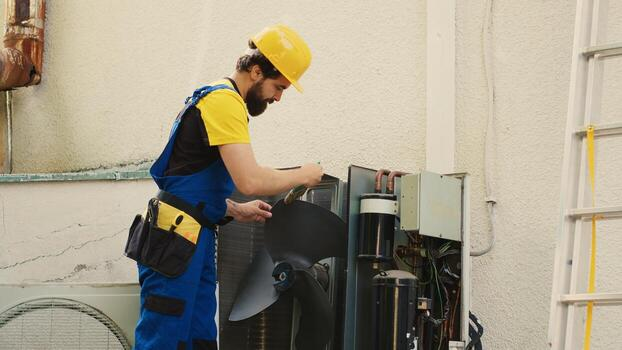
A thorough HVAC service report documents equipment details, diagnostic findings, work performed, safety checks, and future maintenance recommendations.
A thorough HVAC service report covers specific data points to ensure accountability. It starts with basics: date, time, customer name, service location, and the assigned technician. Next, it documents the equipment, including model numbers, serial numbers, and refrigerant types. The core of the report covers the diagnostic findings, describing what was checked, what was functioning properly, and what needed attention.
Technicians also record work performed, such as filter replacements, coil cleaning, electrical tightening, and refrigerant recharging. Safety control checks, ductwork inspections, and thermostat calibrations round out the technical sections. Finally, a good report includes recommendations for future maintenance, an estimated timeline for follow-up, and a customer signature confirming the work. When all these elements are consistently captured, the report becomes a valuable asset for scheduling, compliance, and customer retention.
Why Digital Forms Beat Paper-Based Reports
Paper forms create bottlenecks. Technicians must collect blank forms, fill them out by hand, return them to the office, and help staff interpret handwriting. Every handoff introduces the risk of lost paperwork, transcription errors, and delays. Digital templates address these problems by standardizing data fields, making it easier to complete reports on a phone or tablet, and enabling instant sharing with office systems.
Beyond basic efficiency, digital forms open the door to features that paper simply cannot offer. Photo documentation lets technicians attach images of damaged components or completed work. Auto-populated fields reduce redundant data entry. Time and date stamps create an automatic audit trail. And digital signatures let customers approve the work on the spot, eliminating the need for follow-up visits just to collect a signature. For HVAC companies managing dozens or hundreds of service calls per week, these incremental time savings compound quickly.
3 Free HVAC Report Templates
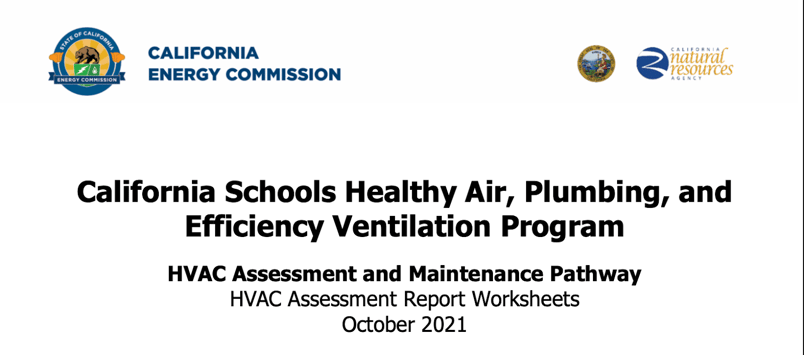
Government agencies like the EPA, DOE, and California Energy Commission publish free HVAC templates for inspections and energy compliance.
Several government agencies publish HVAC templates that service teams can reference. These serve as useful starting points, especially for teams working in regulated environments or public facilities.
1. EPA HVAC Checklist (Short Form)
The U.S. Environmental Protection Agency publishes an HVAC checklist to evaluate HVAC systems for indoor air quality. The short form covers ventilation rates, outdoor air damper settings, filtration, and general system condition. It is intended for building managers and maintenance staff conducting routine assessments. While it focuses on air quality compliance rather than service documentation, its structure helps standardize inspection data for commercial buildings.
2. U.S. DOE FEMP Operations and Maintenance (O&M) Checklist
The U.S. Department of Energy's Federal Energy Management Program (FEMP) publishes a comprehensive Operations and Maintenance (O&M) Checklist applicable to various facility types, including schools. It covers best practices for boilers, air conditioning units, and system efficiency tracking. The template is structured around maintenance frequency intervals, from daily tasks to annual and multi-year inspections. It is especially useful for facilities teams that need to track recurring maintenance tasks and demonstrate energy performance over time.
3. California Energy Commission HVAC Assessment Report Worksheets
The California Energy Commission provides HVAC assessment report worksheets as part of its energy compliance and assessment programs. These worksheets guide assessors through documenting system performance, identifying efficiency gaps, and recording maintenance activities for residential and commercial HVAC units. They are particularly relevant for teams operating in California or in states with similar energy reporting requirements and can serve as a reference for structuring service documentation in line with regulatory standards.
Moving Beyond Static Templates
Free templates and PDF downloads offer a starting point but have distinct limitations. Static files cannot capture photos, scan barcodes, work offline, or automatically sync with business systems. Technicians still end up toggling between multiple tools, manually re-entering data, and chasing down approvals after the fact.
For HVAC teams handling high volumes of service calls across multiple locations, these gaps add up fast. The ideal solution combines the structure of a template with the connectivity of a purpose-built mobile app. That means offline capability for basements and rooftops with no signal, built-in photo and signature capture, conditional logic that adapts the form based on equipment type, and automatic data syncing once the technician is back in range.
Why Alpha TransForm Leads for HVAC Service Reporting

Alpha TransForm turns paper HVAC forms into offline-ready mobile apps in minutes — saving teams hours of labor weekly per week.
Transitioning from manual checklists to digital documentation streamlines operations and eliminates data entry errors. The ROI is immediate. The Building Engineering Company, for example, saved 1 to 1.5 hours per inspection after switching to Alpha TransForm, projecting savings of 40 to 60 labor hours per week for major clients.
Alpha TransForm allows service teams to convert existing paper forms into functional mobile applications requiring no specialized technical skills. These tools function reliably in environments without cellular signals, allowing technicians to record diagnostics and capture signatures anywhere.
We also provide a ready-made HVAC Inspection App that teams can customize and deploy immediately. It includes barcode scanning for equipment lookups, auto-populated form fields, and the ability to attach service manuals or repair videos directly to the inspection record. Built-in dashboards and workflows give managers real-time visibility into completed service calls, open issues, and technician performance, without waiting for paperwork to arrive at the office.
FAQs
What should an HVAC service report include?
How often should HVAC systems be inspected?
Can I use a free PDF template for HVAC service reports?
What is the difference between an HVAC checklist and a report?
How does Alpha TransForm improve HVAC service reporting?
*Note: Alpha TransForm is a no-code app builder developed by Alpha Software. Product features, availability, pricing, and results referenced are for informational purposes only and subject to change; actual capabilities and outcomes may vary based on configuration and use case. To confirm current offerings and pricing, talk to a Solutions Consultant.






Comment