
Discover the essential fields for production line checklists, download free PDF templates, and explore digital alternatives like Alpha TransForm to reduce errors.
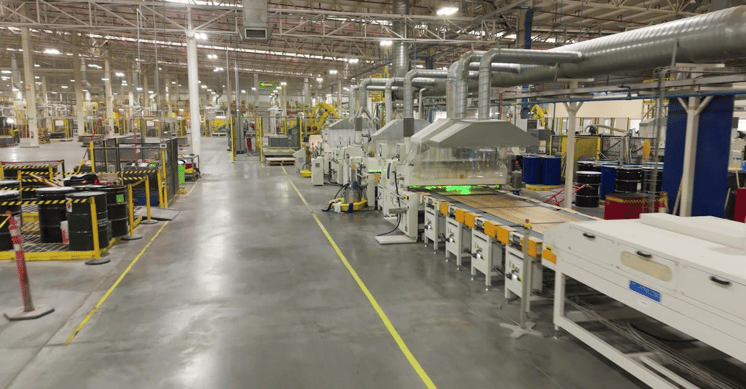
Key Takeaways
- A strong production line checklist should cover equipment status, safety verification, quality control parameters, material readiness, and operator sign-off to keep production running smoothly.
- Free PDF checklists from organizations like OSHA and CCOHS offer a reliable starting point, but they lack real-time data capture and reporting capabilities.
- Digital checklist platforms such as Alpha TransForm, SafetyCulture, and Fulcrum eliminate paper-related delays and give operations leaders visibility into production line performance.
- Offline functionality, photo capture, and conditional logic are critical features to look for when choosing a digital checklist tool for manufacturing.
- Alpha TransForm lets manufacturing teams turn paper checklists into mobile apps in minutes, with offline-first reliability and no reliance on IT.
Why Production Line Checklists Drive Manufacturing Quality
A production line checklist is the simplest tool that separates consistent output from costly mistakes. Every shift, operators and supervisors rely on these checklists to verify that equipment is ready, materials are in place, safety protocols are followed, and quality standards are met before a single unit moves down the line. Without a structured checklist, manufacturers risk unplanned downtime, defective products, and compliance violations.
This article breaks down the essential fields every production line checklist should include, shares free PDF templates from government and public institutions, and compares the best digital alternatives for teams ready to move beyond paper. If your goal is fewer errors, faster inspections, and better data, you are in the right place.
|
Alpha TransForm: Digital Solutions to Collect, Analyze, and Act on Data Turn Paper Forms Into Mobile Apps in Minutes | No IT Team Required | Works Offline | Trusted by Manufacturing & Field Teams  Why Business Leaders Choose Alpha TransForm: ✓ Built-in custom dashboards and workflows to trigger business activity✓ Seamless integration with existing business systems ✓ Replace Excel with digital data collection and analysis ✓ Rapid digitization—build apps in days without IT bottlenecks ✓ Proven ROI with scalable start-small approach ✓ Trusted by manufacturing, construction, and healthcare leaders From Paper to Digital in 3 Steps 1. Upload your paper form or start from scratch2. Customize fields and logic as needed 3. Deploy to mobile devices and start collecting data instantly Stop losing time with paper processes. Start delivering business value today.
|
What Fields Should a Production Line Checklist Include?

A well-designed production line checklist captures identification, equipment, material, safety, quality, and sign-off fields to ensure nothing is missed.
The strength of any production line checklist lies in the fields it captures. A well-designed template ensures nothing is missed between shift start and the first output. While every facility has unique requirements, most production line checklists should include these core field categories:
1. Identification and setup fields: form the foundation. These include the date and time, shift number, production line or workstation ID, product or batch number, and the name of the operator completing the checklist. These fields create a traceable record that ties every inspection to a specific person, time, and location.
2. Equipment readiness fields: confirm that machinery is operational before production begins. This section typically covers equipment calibration status, belt and conveyor condition, sensor and alarm functionality, lockout/tagout verification, and cleanliness of contact surfaces. Including a pass/fail or condition rating for each item helps standardize responses.
3. Material and inventory fields: ensure the right raw materials and components are staged and accounted for. Operators should verify material type and batch numbers, the quantity on hand versus the required quantity, compliance with storage conditions, and the status of incoming material inspection.
4. Safety and compliance fields: address personal protective equipment checks, emergency exit accessibility, hazardous material handling, fire extinguisher availability, and any open corrective actions from prior shifts. These are essential for meeting OSHA general industry standards.
5. Quality control fields: verify that output meets specifications. These fields typically include first-article inspection results, measurement tool calibration status, defect or reject rate tracking, in-process sample results, and visual inspection notes with photo documentation.
6. Sign-off and escalation fields: close out the checklist. These include the supervisor's signature, timestamp, follow-up action items, and notes on any non-conformances that require escalation. A good checklist always creates a clear paper trail for accountability.
Free PDF Production Line Checklist Templates
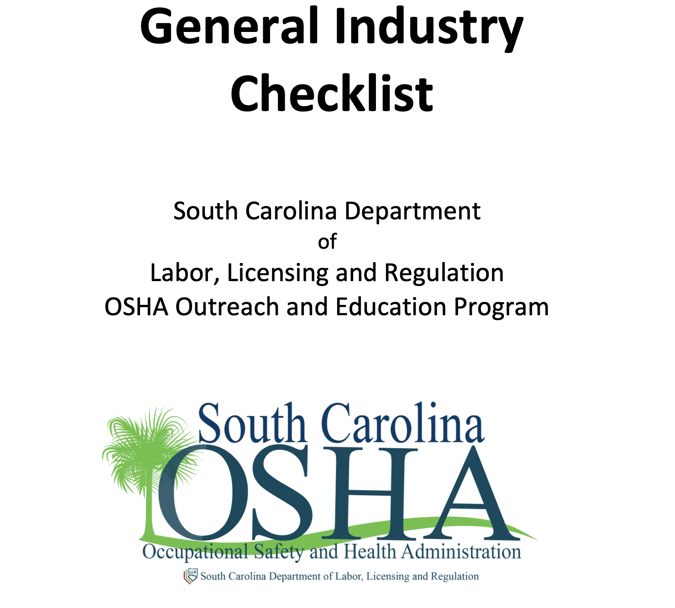
Free PDF checklist templates from OSHA, CCOHS, and South Carolina OSHA help standardize production line safety inspections and compliance.
PDF templates offer a quick way to standardize production line inspections, especially for teams that are still transitioning from informal processes. Below are three free resources from the government and public institutions worth exploring.
OSHA Safety and Health Program Implementation Checklist
The U.S. Occupational Safety and Health Administration publishes a Safety and Health Program Implementation Checklist designed for general industry workplaces, including manufacturing facilities. This PDF covers management leadership, worker participation, hazard identification, and training requirements. It is a solid starting framework for teams that need to align production line safety checks with federal standards.
CCOHS Manufacturing Facilities Inspection Checklist
The Canadian Centre for Occupational Health and Safety (CCOHS) offers a Sample Checklist for Manufacturing Facilities that spans 22 inspection categories, from personnel training and housekeeping to fire protection and material handling. The checklist is structured with yes/no fields and space for inspector notes, making it easy to print and use on the production floor as a baseline audit tool.
South Carolina OSHA General Industry Checklist
The South Carolina Department of Labor, Licensing, and Regulation publishes a General Industry Checklist based on federal OSHA standards (29 CFR Part 1910). This comprehensive PDF is designed so that any negative answer flags a safety concern, making it a practical self-assessment tool for manufacturing facilities evaluating their compliance with workplace health and safety regulations.
Why Do Digital Checklists Outperform Paper and PDFs?
Paper checklists and static PDFs get the job done in a pinch, but they create friction that compounds over time. Completed paper forms sit in filing cabinets, making trend analysis nearly impossible. Data entry errors go unnoticed, follow-up actions fall through the cracks, and supervisors lack real-time visibility into what is happening on the line.
For manufacturing operations looking to reduce defects, speed up inspections, and maintain compliance, digital checklist platforms deliver measurable advantages. They enable real-time data capture with timestamps and GPS, instant photo documentation, automated alerts when a check fails, and dashboards that turn inspection data into actionable insights. Teams that make the switch typically see faster inspection completion, better compliance audit readiness, and fewer missed steps.
3 Best Digital Alternatives for Production Line Checklists
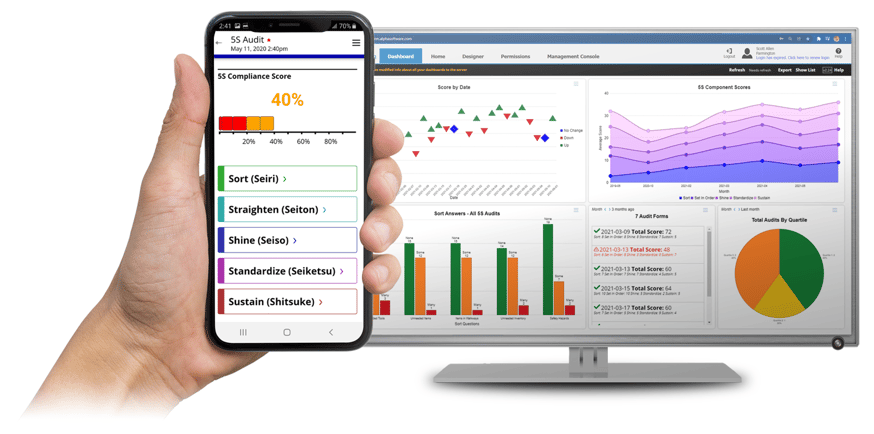
Alpha TransForm, SafetyCulture, and Fulcrum are top digital alternatives for converting paper production line checklists into mobile apps.
1. Alpha TransForm
Alpha TransForm is a no-code platform for manufacturing and field operations. It enables business users to convert paper checklists into mobile apps in minutes without IT involvement. The platform's standout strength is its offline-first architecture, meaning apps built with it continue to capture data with full functionality in warehouses, factory floors, and field sites with no Wi-Fi or cellular signal.
Some features you can include in apps you build with our platform include photo capture, barcode scanning, GPS tagging, digital signatures, conditional logic, timestamps, and automated alerts. Built-in dashboards and integrations with ERP and quality systems ensure that inspection data flows directly into existing workflows. We also provide free manufacturing templates, including 5S Audit, Gemba Walk, and Equipment Inspection apps that teams can customize and deploy immediately.
2. SafetyCulture (iAuditor)
SafetyCulture is a mobile-first inspection platform with a large template library and a drag-and-drop form builder. It supports offline inspections, photo capture, task assignment, and automated report generation. The platform is widely used across construction, hospitality, and manufacturing. It is a solid option for teams focused primarily on safety audits and standard inspections, though advanced features are available only in higher-tier plans.
3. Fulcrum
Fulcrum is a field data collection platform built for teams that need customizable inspection forms, GPS integration, and offline data capture. It offers a no-code form builder, photo and video documentation, and API integrations with enterprise systems. Fulcrum is popular with field-heavy industries like utilities and environmental services, and it also supports manufacturing quality control and compliance audits.
Digital Production Line Checklist Platforms: At-a-Glance Summary
|
Feature |
Alpha TransForm |
SafetyCulture (iAuditor) |
Fulcrum |
|
Best For |
Manufacturing & field ops |
Safety audits & inspections |
Field data collection |
|
No-Code Builder |
Yes |
Yes (drag-and-drop) |
Yes |
|
Offline Functionality |
Full offline-first |
Yes |
Yes |
|
Photo/Barcode/GPS |
Yes |
Yes |
Yes |
|
Conditional Logic |
Yes |
Yes |
Yes |
|
Dashboards & Analytics |
Built-in custom dashboards |
Analytics included |
Reporting & analytics |
|
Manufacturing Templates |
5S, Gemba Walk, equipment inspection |
Large template library |
Inspection app library |
|
IT Dependency |
None — business users build apps |
Low |
Low |
|
ERP/System Integration |
Yes — seamless |
Via integrations and API |
API integrations |
Why Alpha TransForm Leads for Production Line Digitization
Alpha TransForm empowers operations leaders to digitize production line checklists—no code, no IT tickets, no delays.
Manufacturing teams are stuck between outdated paper processes and expensive, IT-dependent software that take months to deploy. Alpha TransForm changes that by giving operations leaders the ability to digitize production line checklists themselves, without writing code, filing IT tickets, or waiting weeks for updates.
Alpha TransForm apps work offline in the most demanding environments, from noisy factory floors to remote field sites, capturing photos, barcodes, signatures, and timestamps without skipping a beat. When connectivity returns, everything syncs automatically. Our built-in custom dashboards and workflows turn raw inspection data into real-time business intelligence, triggering alerts, compliance reports, and corrective actions the moment they are needed.
Manufacturers like Igloo have reduced estimated quality control costs by $145,000 while improving accuracy and compliance using our platform. With Alpha TransForm, you can move from paper to digital in 3 steps:
- Upload your paper form or start from scratch
- Customize fields and logic as needed
- Deploy to mobile devices and start collecting data instantly
Stop losing time with paper processes. Start delivering business value today.
FAQs
What fields should a production line checklist include?
How often should production line checklists be completed?
Can I use a PDF checklist for ISO compliance?
What is the difference between a production line checklist and a quality control checklist?
How does Alpha TransForm help digitize production line checklists?
*Note: Alpha TransForm is a no-code app builder developed by Alpha Software. Product features, availability, pricing, and results referenced are for informational purposes only and subject to change; actual capabilities and outcomes may vary based on configuration and use case. To confirm current offerings and pricing, talk to a Solutions Consultant.





Comment