
With the rise of AI-powered tools and “vibe coding,” you can describe an app in plain language and generate a working prototype in minutes.
But there’s a gap most guides don’t cover:
Building an app with AI is easy.
Building one that works in real-world operations is not.
Searches for “how to build an app with AI” are growing rapidly, but most guides focus on building something quickly, not building something that actually works.
This guide walks through how to use AI to build an app, and what it takes to make sure it actually works in your business.
Step 1: Define the Real-World Workflow First
Before you use AI, define the process you’re trying to support.
Most AI tools generate apps based on prompts—but they don’t understand how your business actually operates.
Start with: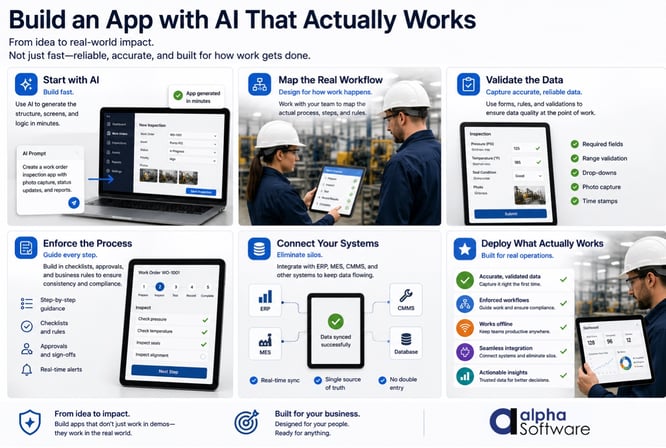
- What steps must be followed
- Who performs each step
- What data must be captured
- What decisions depend on that data
If the workflow isn’t clear, the app won’t work—no matter how it’s built.
Step 2: Use AI to Prototype the Application
Now you can use AI tools to quickly generate a prototype.
This is where AI excels:
- generating interfaces
- building basic workflows
- creating initial logic
At this stage:
- focus on speed
- explore different approaches
- iterate quickly
The goal is not perfection—it’s direction.
Step 3: Identify Real-World Constraints
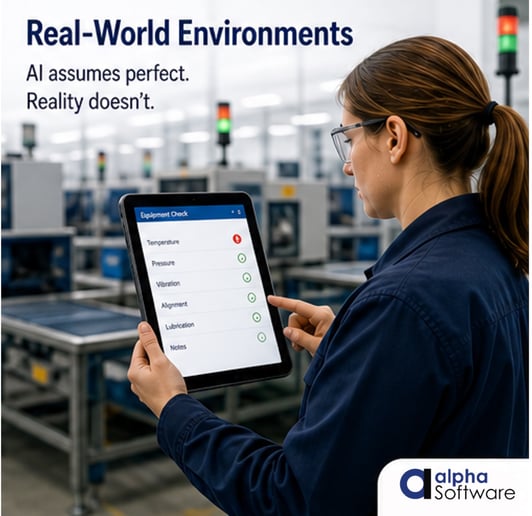
This is where most AI-built apps fail.
Ask:
- Will this app work without internet access?
- Can users skip steps or enter bad data?
- Does this reflect how work actually happens?
- What happens when something goes wrong?
These constraints are what separate a working demo from a working system.
This is why AI-generated apps fail in real-world operations becomes clear quickly when apps are deployed. Read more about AI app development that works in real-world operations.
 Step 4: Design for Data Validation
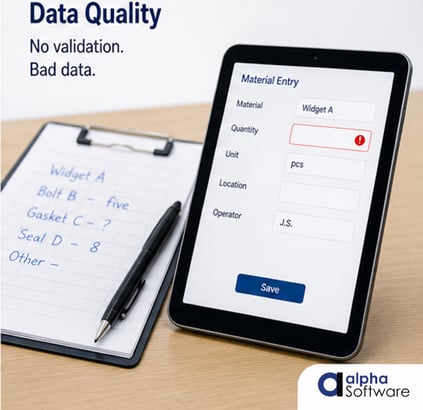
AI can generate forms—but it won’t enforce data quality.
You need to define:
- required fields
- input constraints
- validation rules
- conditional logic
According to Gartner, poor data quality costs organizations an average of $12.9 million per year.
This is the same gap that limits manufacturing AI readiness — when execution data is incomplete or inconsistent, AI systems amplify bad information faster instead of fixing it.
If your app collects bad data, everything downstream breaks.
For a deeper look, see why data quality is the Achilles heel of AI.
 Step 5: Build Structured Workflows
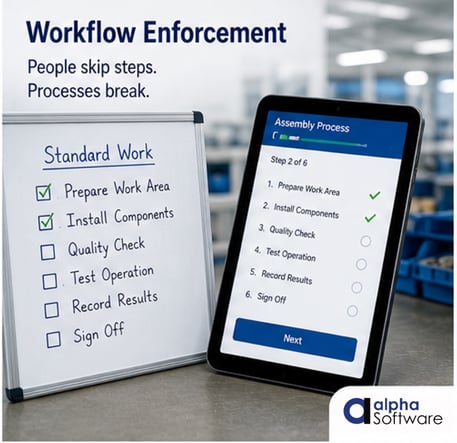
In real-world operations:
- steps must be followed
- processes must be consistent
- outcomes must be predictable
AI-generated apps don’t enforce this by default.
You need:
- guided workflows
- step-by-step progression
- conditional logic based on inputs
This ensures work is done correctly every time.
 Step 6: Plan for Offline Use
Many business environments don’t have reliable connectivity.
If your app depends on internet access:
- workflows break
- data is lost
- users revert to manual processes
Offline capability isn’t optional—it’s critical.
This is why many organizations underestimate why offline capability is critical for real-world applications.
Step 7: Integrate with Your Systems
Your app doesn’t operate in isolation.
It needs to connect to:
- ERP systems
- databases
- reporting tools
AI tools can connect to APIs—but production systems require:
- reliable synchronization
- structured data
- error handling
This is often where prototypes break down.
 Step 8: Test in Real-World Conditions
Before deployment:
- test with real users
- test in real environments
- test edge cases
Ask:
- What happens if a step is skipped?
- What happens if data is incorrect?
- What happens offline?
This is where most issues surface.
Step 9: Deploy and Continuously Improve
Real-world operations change.
Your app must:
- adapt to new workflows
- handle new data requirements
- evolve over time
AI can help generate apps, but maintaining them requires structure. Most AI guides stop at a working prototype, but business success depends on what happens after that.
The Real Difference: Prototype vs Production
Most AI app guides stop at building a working app.
But business success depends on:
- reliability
- data accuracy
- workflow consistency
- system integration
That’s the difference between a prototype and a production system.
Where Alpha Software Delivers Real-World Capabilities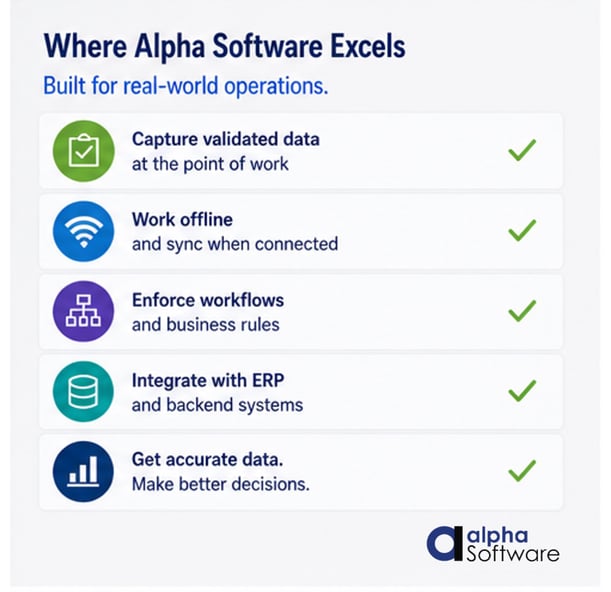
AI apps can show potential quickly, but business operations requires more complex capabilities than what AI builders can deliver. This is exactly where most AI tools stop and where Alpha Software is built to deliver for modern business.
Using Alpha TransForm, organizations can take AI-generated ideas and turn them into production-ready systems.
That includes:
- validated data capture at the point of work
- offline capability
- guided workflows
- integration with ERP and backend systems
Instead of stopping at a prototype, Alpha Software helps deliver applications that actually work in real-world environments.
Read How to Build a Mobile App step by step.
Learning How to Build Business-Ready Apps Using AI
AI has changed how apps are built, but building an app is not the hard part. Making it work in real-world operations is where companies can trip up.
The organizations that succeed will use AI to accelerate development and prototype ideas, while they design their systems for reliability.
Alpha Software Can Take Your Idea and Turn It into a Production-Ready App
If you're building an app with AI and want to make sure it actually works in your operation, not just in a demo, book a meeting with Alpha Software. We’ll help you turn your mobile app idea into a production-ready solution. Click to book a 10 minute call. We'll help you quickly assess if we're a fit and clearly understand how you can have your app testing with users at your organization within days.









Comment