
Download maintenance checklist templates from OSHA and GSA, then see how tools like Alpha TransForm turn paper checklists into mobile apps in minutes.

Key Takeaways
- A solid maintenance checklist template standardizes inspections, prevents missed tasks, and reduces costly equipment downtime across facilities.
- Public institutions like the Occupational Safety and Health Administration (OSHA), General Services Administration (GSA), and state agencies publish free, downloadable maintenance checklist templates that anyone can adapt.
- Paper checklists create delays, data-entry errors, and compliance gaps that digital automation tools are designed to eliminate.
- Digital tools like Alpha TransForm, SafetyCulture (iAuditor), and MaintainX replace paper checklists with offline data capture, photo documentation, automated alerts, and instant reporting.
- Alpha TransForm lets business users turn any paper maintenance checklist into a mobile app in minutes, with offline capability and built-in dashboards.
Better Maintenance Starts with the Right Checklist
A well-structured maintenance checklist template standardizes inspections, prevents missed tasks, and reduces equipment downtime. Public institutions such as OSHA, GSA, and the Texas Department of Insurance publish free, downloadable templates covering general industry safety inspections, federal building preventive maintenance, and state-level compliance requirements. These are adaptable to most operations, though all are limited to static PDF or paper formats.
Paper-based checklists create delays, data-entry errors, and gaps in compliance tracking that digital tools are designed to solve. Platforms like Alpha TransForm, SafetyCulture, and MaintainX each approach the problem differently, with key differences in offline capability, data capture options, error prevention, and setup requirements.
Alpha TransForm stands out as a no-code option built for business users in offline-heavy field environments, allowing teams to convert paper checklists into mobile apps in minutes without IT involvement.
|
Alpha TransForm: Digital Solutions to Collect, Analyze, and Act on Data Turn Paper Forms Into Mobile Apps in Minutes | No IT Team Required | Works Offline | Trusted by Manufacturing & Field Teams  Why Business Leaders Choose Alpha TransForm: ✓ Built-in custom dashboards and workflows to trigger business activity✓ Seamless integration with existing business systems ✓ Replace Excel with digital data collection and analysis ✓ Rapid digitization—build apps in days without IT bottlenecks ✓ Proven ROI with scalable start-small approach ✓ Trusted by manufacturing, construction, and healthcare leaders From Paper to Digital in 3 Steps 1. Upload your paper form or start from scratch2. Customize fields and logic as needed 3. Deploy to mobile devices and start collecting data instantly Stop losing time with paper processes. Start delivering business value today.
|
Downloadable Maintenance Checklist Examples from Public Institutions
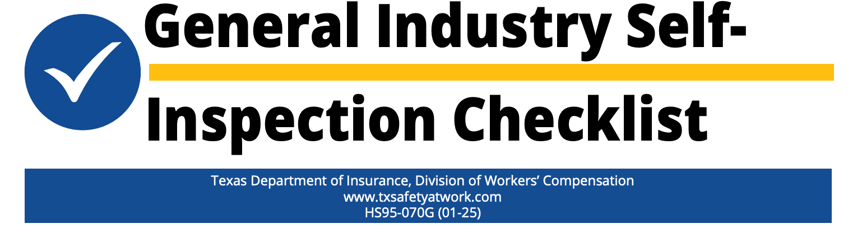
Public institutions like OSHA, GSA, and Texas DWC offer free, thorough maintenance checklists, though they remain static and paper-based. (Image source: Texas DWC General Industry)
Before building a checklist from scratch, it is worth looking at what established government agencies and public organizations have already published. These templates are free, battle-tested, and designed for regulatory environments where thoroughness matters.
OSHA Self-Inspection Checklist
The Occupational Safety and Health Administration (OSHA) publishes a comprehensive Self-Inspection Checklist as part of its Small Business Handbook series. This checklist covers employer posting requirements, fire protection, personal protective equipment, hazard communication, electrical safety, walking and working surfaces, and more.
It follows a yes-or-no format that facility managers can work through during routine walkthroughs. OSHA designed it for general industry use, though it is adaptable to manufacturing, warehousing, and field operations. The limitation, of course, is that it is a static PDF. Teams must print it, fill it out by hand, and file the results manually.
GSA Preventive Maintenance Guide
The U.S. General Services Administration (GSA) maintains a Preventive Maintenance Guide for federal building operations. This guide includes maintenance standard numbers, equipment attributes, and task-level checklists for everything from roof inspections and fire alarm systems to HVAC coils and elevator servicing.
The GSA's framework is especially useful for facility managers who need to establish inspection frequencies (daily, weekly, monthly, seasonal) and tie each task to a specific building system. It is one of the most detailed public-sector maintenance references available.
Texas DWC General Industry Self-Inspection Checklist
The Texas Department of Insurance, Division of Workers' Compensation, publishes a General Industry Self-Inspection Checklist aligned with OSHA requirements, voluntary standards, and best practices. It covers worksite conditions, recordkeeping, medical services, fire protection, exit routes, electrical systems, machine guarding, and hazard communication. This checklist is particularly helpful for state-level operations leaders who need a regionally relevant starting point that still aligns with federal standards.
Each of these templates provides a strong foundation, but they all share a common limitation: they are paper-based or static PDF documents. That means manual data entry, no real-time visibility, and no easy way to track trends or trigger follow-up actions.
3 Digital Tools to Automate Your Maintenance Checklists
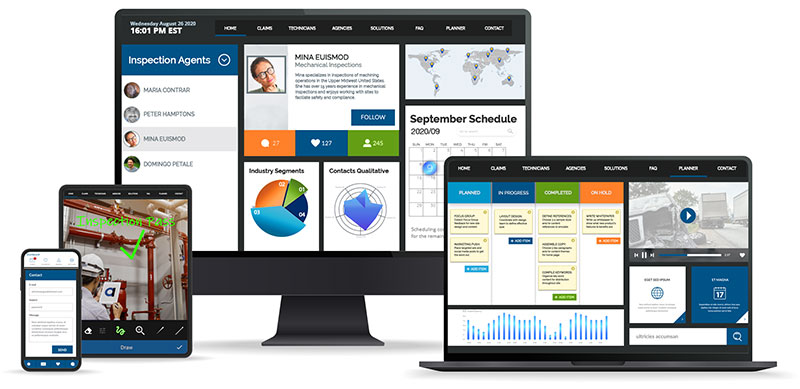
Alpha TransForm, SafetyCulture, and MaintainX are three digital tools that automate maintenance checklists, replacing error-prone paper processes.
Replacing paper checklists with digital tools can eliminate data-entry errors, speed up reporting, and give leadership real-time visibility into maintenance activity. Here are three platforms that help operations teams make that shift, starting with the one purpose-built for business users working in demanding environments.
1. Alpha TransForm
Alpha TransForm, built by us at Alpha Software, is a no-code app builder that lets business users convert any paper maintenance checklist into a mobile app in minutes, without waiting on IT. What makes it stand out for maintenance teams is its offline-first design. Inspectors working in warehouses, oil fields, manufacturing floors, or remote job sites can complete checklists on their phones or tablets, even when there is no network connection, and the data will sync automatically once connectivity returns.
Alpha TransForm supports building apps with features like photo capture, barcode scanning, GPS location stamps, timestamps, electronic signatures, and conditional logic, all of which are critical for detailed maintenance inspections.
2. SafetyCulture (iAuditor)
SafetyCulture, formerly known as iAuditor, is a popular inspection platform with a large library of pre-built checklist templates covering facility maintenance, equipment checks, and OSHA compliance. It allows photo and video capture, supports corrective action workflows, and offers cloud-based report storage.
SafetyCulture works well for teams that need a broad template library and straightforward inspection workflows, though it may require more configuration for highly specialized or offline-heavy environments.
3. MaintainX
MaintainX is a mobile-first CMMS platform designed for frontline maintenance teams. It combines digital checklists with work order management, asset tracking, and compliance documentation.
Maintenance managers can assign tasks, set recurring inspection schedules, and generate audit-ready reports. MaintainX is especially suited for teams already managing a large volume of work orders who want to consolidate checklists and task management into a single tool.
Maintenance Automation Options: Summary Table
|
Feature |
Alpha TransForm |
SafetyCulture |
MaintainX |
|
Offline capability |
Offline-first architecture with full functionality and automatic sync when reconnected |
The mobile app supports offline inspections with automatic sync; some features are limited offline. |
Mobile app supports offline mode for work orders with automatic sync; some features are limited offline. |
|
Data capture options |
Photos, barcodes, GPS, signatures, timestamps, audio, digital ink |
Photos, videos, annotations, signatures, GPS location, timestamps, barcode/QR scanning |
Photos, comments, meter readings, barcode/QR scanning, voice clips, digital signatures |
|
Error prevention |
Conditional logic, required fields, auto-alerts, built-in programming language for custom validation |
Template logic, required fields, corrective action workflows, automated alerts |
Checklist validation, required fields, AI-powered anomaly detection, automated corrective actions |
|
Set up and ownership |
No-code builder; business users build and deploy apps without IT |
Drag-and-drop template builder; admin configures templates with a moderate learning curve |
User-friendly interface; maintenance managers configure within CMMS; minimal training needed for frontline staff |
|
Best suited for |
Field teams in demanding or offline-heavy environments need custom data capture apps |
Multi-site teams needing a broad template library and standardized inspection workflows |
Teams that are consolidating checklists with work order management, asset tracking, and preventive maintenance scheduling |
How Alpha TransForm Helps You Move from Paper to Digital
Alpha TransForm digitizes paper checklists into mobile forms in three steps, requiring no IT involvement or lengthy training.
At Alpha Software, we built Alpha TransForm because we saw how much time and money operations teams were losing to paper-based processes. Every manual checklist that gets filled out by hand, driven back to an office, and typed into a spreadsheet represents hours of wasted effort and opportunities for error.
With Alpha TransForm, we help you go from paper to mobile in three straightforward steps. First, upload your existing paper form or start from a template. Second, customize fields, logic, and workflows to match your process. Third, deploy to your team's mobile devices and start collecting data instantly. There is no need to involve IT, no lengthy training period, and no risk of data loss in the field. Our platform is trusted by leaders in manufacturing, construction, healthcare, fleet management, and field operations who need reliable data collection in the most demanding environments.
FAQs
What should a basic maintenance checklist include?
How often should maintenance checklists be completed?
Can I use a government checklist template for my private business?
What is the biggest risk of using paper-based maintenance checklists?
How does Alpha TransForm improve maintenance checklist processes?
*Note: Alpha TransForm is a no-code app builder developed by Alpha Software. Product features, availability, pricing, and results referenced are for informational purposes only and subject to change; actual capabilities and outcomes may vary based on configuration and use case. To confirm current offerings and pricing, talk to a Solutions Consultant.






Comment