
Learn how the RTRIM function in SQL removes trailing spaces and special characters, and discover how Alpha TransForm prevents dirty data at the source.

Key Takeaways
- The RTRIM function removes trailing spaces from text, helping maintain clean, consistent data for reports and integrations.
- Handling special characters requires combining RTRIM with additional functions, such as REPLACE or TRANSLATE, for complete data cleanup.
- Dirty data often originates from manual entry errors, paper-based processes, or inconsistent collection methods across teams and locations.
- Preventing data issues at the source eliminates repetitive cleanup, and Alpha TransForm enables clean digital data capture from the start through pre-built validation logic.
Why Clean Data Matters for Business Operations
Every operations leader knows the frustration of pulling a report only to find duplicate entries, failed lookups, or mismatched records. Often, the culprit is invisible: trailing spaces and hidden characters lurking in your data. These small inconsistencies create big problems when you need accurate inventory counts, compliant audit trails, or reliable dashboards.
The RTRIM function in SQL is one tool that data teams use to clean up these issues after the fact. Understanding what RTRIM does and its limitations helps business leaders recognize the true cost of dirty data. More importantly, it highlights why capturing clean data from the start delivers better results than constantly fixing problems downstream.
|
Alpha TransForm: Digital Solutions to Collect, Analyze, and Act on Data Turn Paper Forms Into Mobile Apps in Minutes | No IT Team Required | Works Offline | Trusted by Manufacturing & Field Teams  Why Business Leaders Choose Alpha TransForm: ✓ Built-in custom dashboards and workflows to trigger business activity✓ Seamless integration with existing business systems ✓ Replace Excel with digital data collection and analysis ✓ Rapid digitization—build apps in days without IT bottlenecks ✓ Proven ROI with scalable start-small approach ✓ Trusted by manufacturing, construction, and healthcare leaders From Paper to Digital in 3 Steps 1. Upload your paper form or start from scratch2. Customize fields and logic as needed 3. Deploy to mobile devices and start collecting data instantly Stop losing time with paper processes. Start delivering business value today.
|
What Is the RTRIM Function in SQL?
RTRIM stands for "Right Trim" and is a function available in most database systems including SQL Server, MySQL, PostgreSQL, and Oracle. Its purpose is simple: remove any trailing spaces from the right side of a text string. When someone types "Chicago " with extra spaces at the end, RTRIM converts it to "Chicago" so that searches, filters, and comparisons work correctly.
The basic syntax is straightforward: you specify the target column, and the function returns the text with trailing spaces removed. This matters because databases treat "Chicago" and "Chicago " as completely different values, even though they look identical to the human eye. A customer lookup fails, an inventory match breaks, or a compliance report shows duplicates—all because of invisible spaces.
When Is the RTRIM Function Used in Business Data?
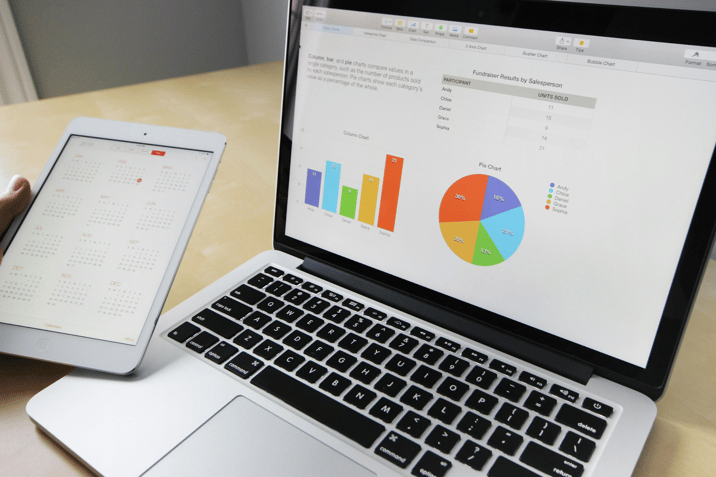
RTRIM helps businesses clean data by removing trailing spaces, preventing errors in reports, migrations, and system integrations.
Data teams typically apply RTRIM to prepare information for reports, exports, or system integrations. Consider a manufacturing operation where inspection records flow from the shop floor into an ERP system. If inspector names contain trailing spaces, the system might create duplicate employee records or fail to match entries correctly. RTRIM helps standardize these values before they cause downstream problems.
Another frequent use case involves data migration projects. When companies move from legacy systems or digitize paper records, the imported data often contains formatting inconsistencies. Customer addresses, product codes, and location names may all carry extra spaces that accumulated over years of manual entry. Cleaning this data with RTRIM becomes a necessary step before the information can be reliably used.
Integration scenarios present similar challenges. When data moves between systems through automated processes, trailing spaces can cause API errors or failed record matches. A warehouse management system might reject an inventory update simply because a bin location code contains an unexpected space character.
How Does RTRIM Handle Special Characters?
While RTRIM effectively removes trailing spaces, it ignores other problematic characters. Tab characters, line breaks, carriage returns, and non-printing characters require additional handling. This limitation surprises many business users who expect a single "cleanup" function to solve all formatting issues.
Addressing special characters typically requires combining RTRIM with other functions. REPLACE allows you to swap specific characters for alternatives, while TRANSLATE (in databases that support it) can handle multiple character substitutions at once. For example, removing both trailing spaces and tab characters from a product description might require nesting these functions together.
The complexity multiplies when dealing with data from diverse sources. Paper forms that were scanned and processed through optical character recognition often introduce unusual characters. Imported spreadsheets may contain hidden formatting. Data entered through various web forms or mobile devices might include characters that look like spaces but technically are not. Each scenario requires its own cleanup approach, and what works for one data source may not work for another.
Where Does Dirty Data Come From?

Dirty data enters systems through paper processes, spreadsheets, and field operations, making post-entry cleanup less efficient than prevention.
Understanding RTRIM reveals a larger truth about data quality: fixing problems after they exist is inherently inefficient. Every hour spent writing cleanup queries, testing results, and re-running processes is an hour not spent on analysis, improvement, or action.
Dirty data typically enters your systems through predictable channels. Paper-based processes introduce errors when handwriting is misread or when data entry clerks make inconsistent choices about formatting. Spreadsheets allow free-form entry with no validation, so the same location might appear as "Warehouse A," "WAREHOUSE A," or "Warehouse A " depending on who typed it. Legacy systems often lack input controls, allowing problematic data to accumulate over years.
Field operations face particular challenges. Inspectors working in warehouses, on construction sites, or at customer locations often deal with time pressure, environmental distractions, and connectivity limitations. Under these conditions, data quality suffers. Trailing spaces, inconsistent capitalization, and abbreviation variations become embedded in records that later require manual correction.
How Can I Prevent Data Issues at the Source?
The most effective approach to data quality is preventing problems before they require cleanup. When you control how data enters your systems, you eliminate the need for repetitive RTRIM operations and complex cleanup scripts.
Modern digital data capture tools offer input validation, standardized picklists, and required field formats that ensure consistency from the first entry. Instead of free-form text where inspectors might type "Pass," "PASS," or "Pass ," digital forms use standardized selections to guarantee uniform values. Barcode scanning eliminates typing errors entirely. GPS coordinates capture locations with precision rather than relying on manually entered addresses.
This shift from reactive cleanup to proactive prevention delivers measurable business value. Teams spend less time correcting data and more time using it. Reports run without errors. Integrations function reliably. Audit trails maintain the consistency that compliance requires.
Why Choose Alpha TransForm for Cleaner Data from Day One
Alpha TransForm prevents dirty data through built-in validation features like dropdowns, required fields, and barcode scanning at point of entry.
At Alpha Software, we built Alpha TransForm to help business teams capture accurate data without depending on IT resources or SQL expertise. Our no-code platform lets operations leaders digitize paper forms in minutes, deploying mobile apps that work reliably even in offline environments like warehouses, remote job sites, and manufacturing floors.
Alpha TransForm prevents dirty data through built-in features that enforce consistency at the point of entry. Dropdown selections eliminate free-form typing errors. Required fields ensure nothing gets skipped. Photo capture, barcode scanning, GPS timestamps, and digital signatures add verified data that no manual process can match. When your inspection app only accepts valid entries, you never need to RTRIM the results.
We have helped manufacturing, construction, healthcare, and field service organizations move from paper to digital with rapid ROI. Our start-small approach lets you digitize a few forms, prove the value, and scale painlessly. With custom dashboards and direct integration into your existing business systems, Alpha TransForm turns data collection into business action, without the cleanup headaches.
FAQs
What does RTRIM do in SQL?
Does RTRIM remove special characters?
Why does trailing whitespace cause data problems?
How can I prevent data quality issues before they happen?
How does Alpha TransForm help with data quality?
*Note: Alpha TransForm is a no-code app builder developed by Alpha Software. Product features, availability, pricing, and results referenced are for informational purposes only and subject to change; actual capabilities and outcomes may vary based on configuration and use case. To confirm current offerings and pricing, talk to a Solutions Consultant.






Comment