
A conversation I’m hearing more often as I speak with business prospects in many industries lately goes something like this:
“We already pay for Microsoft 365. Why not just use Microsoft Forms?”
For some use cases, that’s a perfectly reasonable question. Microsoft Forms is fast, simple, familiar, and already included in many organizations’ existing Microsoft 360 licensing. For lightweight business forms, surveys, questionnaires, and basic data collection, it’s actually a good product.
But after working with manufacturers, quality teams, field operations groups, and compliance-driven organizations for years, I’ve noticed something important:
The real problems usually don’t appear while building the form.
They show up after rollout.
That’s when companies discover the difference between digitizing a form and operationalizing a process. Those are very different things.
 Where Microsoft Forms Works Well
To be fair, Microsoft Forms solves several business problems extremely well.
It’s particularly good for:
- employee surveys
- HR questionnaires
- event registrations
- quizzes and training
- lightweight approvals
- internal business forms
- quick data collection
The appeal is obvious:
- very easy to learn
- minimal setup
- familiar Microsoft interface (and included in Microsoft 360)
- easy sharing through Teams and Outlook
- Excel integration
- basic automation through Power Automate
For lightweight information gathering, it’s often a perfectly good fit. And for many organizations, that may be all they need. The trouble starts when operational complexity enters the picture.
Manufacturing and Operational Workflows Are a Different Problem
 Operational environments are messy.
Processes evolve.
Connectivity drops.
Workers move between stations.
Equipment breaks.
Shift turnover happens.
Compliance rules change.
Production keeps moving.
That environment creates requirements that go far beyond “submit a form.”
Operational teams often need:
- offline mobile operation
- conditional workflows
- validation logic
- photo capture
- barcode scanning
- escalation handling
- corrective actions
- audit trails
- ERP integration
- timestamp integrity
- role-based workflows
- guided execution
That’s usually the point where organizations realize they’re not actually building a form anymore.
They’re building an operational application.
And that distinction matters.
The Hidden Problem With “Free”
One of the biggest reasons organizations choose Microsoft Forms is cost, or at least the perception of cost.
The thinking usually starts with:
“We already own it.”
But operational projects rarely stay simple for long.
 We’ve seen manufacturers start with a basic digital inspection form in Microsoft Forms, only to discover later they needed:
- offline capability
- photo validation
- workflow routing
- escalation management
- ERP integration
- audit-ready traceability
- complex approvals
- mobile usability for frontline workers
At that point, the project quietly evolves from "a form" into an "operational platform for the business." That’s when organizations often begin adding:
- Power Apps
- Power Automate premium connectors
- SharePoint infrastructure
- Dataverse
- custom APIs
- consultants
- governance controls
- workflow administration
The form itself may have been “free.” The operational system usually isn’t.
| Related Reading: The Hidden Costs of Microsoft Power Apps |
 |
Offline Capability Is Where Many Projects Start Struggling
 This is one of the most significant disconnects between software evaluations and real-world operations. A surprising number of frontline environments have unreliable connectivity:
- manufacturing plants
- warehouses
- transportation yards
- construction sites
- field service environments
- utility operations
- remote facilities
But the work still needs to happen.
Inspections still need completion.
Maintenance still needs documentation.
Inventory still needs recording.
Quality checks still need validation.
Photos still need capture.
In these environments, “mostly connected” is not enough. This is where lightweight cloud-first forms tools often become difficult to scale operationally. Organizations frequently discover at that point that to move forward they need:
- custom sync logic
- caching strategies
- additional Power Apps architecture
- more development than originally expected
Offline capability becomes an engineering project instead of a built-in operational feature. That’s a major reason many operational teams eventually move toward platforms designed specifically for frontline execution.

Ease-of-Use Depends on Who You Ask
One thing I hear frequently is:
“Microsoft Forms is easier to use.”
For the person building the form, that’s often true. But operational software has two completely unique users: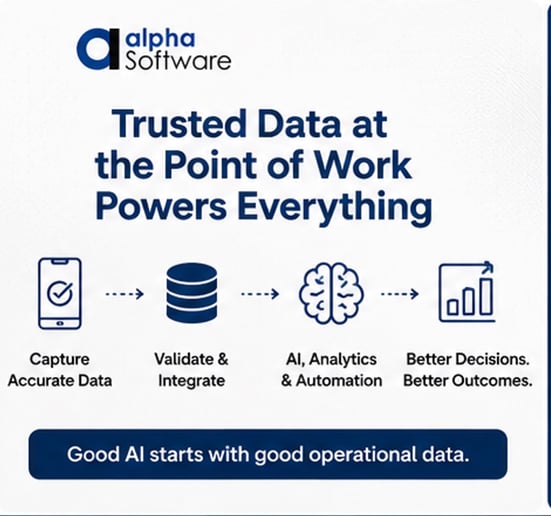
- the administrator creating workflows
- the frontline worker using the application all day long
Those are entirely different usability problems.
A quality engineer working on her desktop has very different needs than:
- a technician wearing gloves
- an operator moving quickly between workstations
- a field worker in poor weather
- a maintenance team trying to minimize downtime
Operational adoption depends heavily on:
- speed
- simplicity
- minimal typing
- one-handed usability
- workflow guidance
- reduced user friction
- matching how employees already work
This approach is one reason some “easy” forms solutions struggle with real-world frontline adoption after rollout. The best operational systems are usually designed around the workflow itself and around how the employee works, not just around the fields on the form.
AI and Copilot Don’t Automatically Solve Bad Operational Data
Another argument we’re hearing more often:
“We want to standardize on Microsoft because of Copilot and AI.”
That makes sense strategically, but AI introduces another challenge many organizations underestimate: AI amplifies bad operational data faster. If operational data is:
- delayed
- incomplete
- manually entered
- inconsistent
- poorly validated
- missing context
…AI does not magically fix those problems. It simply processes unreliable information at scale. This means your new, exciting AI models and tools are generating reports and making decisions on old, inaccurate, or incomplete business data. You risk compounding problems.
That’s why companies that invest heavily in AI increasingly focus on something more foundational first: trusted execution data at the point-of-work. Because the long-term value of AI depends heavily on the quality and reliability of the operational data feeding it.

Governance and Workflow Sprawl Become Real Problems
Another issue many organizations underestimate is long-term workflow maintenance. At first, the architecture often looks manageable. Then over time workflows become distributed across:
- Microsoft Forms
- SharePoint
- Power Automate
- Excel
- Teams
- custom connectors
- Power Apps
- email-based processes
Eventually companies start asking:
- Who owns this workflow?
- Why did this automation break?
- Which SharePoint list is the source of truth?
- Who modified this flow?
- Why are there five versions of this process?
This type of workflow sprawl is incredibly common in operational environments, especially once “citizen development” begins spreading across departments. Operational workflows require long-term governance, support, versioning, and process ownership. That becomes difficult when business-critical processes are fragmented across multiple lightweight tools.
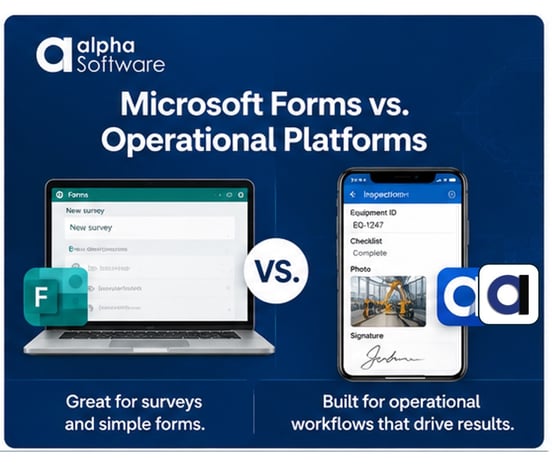
Microsoft Forms vs. Operational Application Platforms
Here’s the simplest way to think about the difference between Microsoft Forms and true operational solutions for business:
| Capability | Microsoft Forms | Operational Solutions Like Alpha TransForm |
|---|---|---|
| Simple surveys & questionnaires | Excellent | Excellent |
| Ease of initial setup | Excellent | Moderate |
| Operational workflows | Limited | Strong |
| Offline field operation | Limited | Purpose-built |
| Frontline mobile usability | Basic | Advanced |
| Complex validation logic | Limited | Extensive |
| ERP/API integration | Indirect | Native |
| Workflow orchestration | Basic | Advanced |
| Audit/compliance processes | Basic | Strong |
| AI-ready operational data | Limited | Strong |
| Enterprise operational apps | Limited | Excellent |
This is not about whether Microsoft Forms is “good” or “bad.” It’s about understanding what type of system you’re actually trying to build.
The Real Question Companies Should Ask
The question most people ask is:
“Can Microsoft Forms collect data?”
Of course it can. A better question for your business and use case is:
“What operational problem are we actually trying to solve?”
That's because there’s a massive difference between simply collecting information and operationalizing daily work (and gaining efficiency!). That distinction becomes painfully obvious once organizations start dealing with: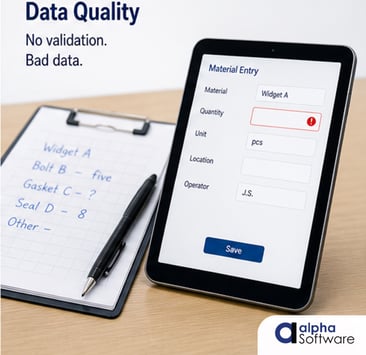
- audits
- downtime
- compliance
- traceability
- disconnected environments
- operational AI initiatives
- frontline adoption
- process enforcement
That’s usually the point where companies realize they weren’t really looking for a digital form tool. They were looking for an operational execution platform. And those are two very different things.
Get Straight Answers on Whether Microsoft Forms Is Enough for Your Operations
 If your company is evaluating Microsoft Forms for manufacturing, inspections, quality, maintenance, field service, or other operational workflows, we’d be happy to share what we’re seeing in the field.
At Alpha Software, we help organizations build operational apps and data collection systems that capture trusted, validated data at the point of work so AI, ERP, reporting, and analytics initiatives have reliable operational data behind them.
In a quick 10-minute conversation, we can help you determine whether Microsoft Forms is the right fit for your use case or whether your workflows may require deeper offline capability, operational logic, workflow automation, integrations, or frontline mobile functionality. Book a 10-minute call and get your questions answered.









Comment