A Journal of the American Medical Association study found one in three adults with an urgent condition reported that they couldn't schedule medical appointments when needed. Low-code platforms enable healthcare providers to create applications that streamline medical scheduling.
Healthcare consumers live increasingly busy lives. Medical appointment scheduling software makes appointment booking easier for patients and medical centers. Patients can use mobile applications to book online appointments, set recurring appointments, and to ensure they receive SMS and email appointment reminders.
Inefficient scheduling costs the U.S. health system over $150 million per year. For just one unused appointment slot, it costs an average of $200. Adopting technology and software helps to improve patient experience and outcomes. However, the software requires resources, capital, and expertise to implement and maintain that many healthcare centers don’t have.
Low-code software enables users to build applications with minimal coding. Line-of-business departments, use a low-code platform’s point-and-click or drag-and-drop interface to create, modify, and deploy applications quickly.
Scheduling patient appointments is one of the most important tasks performed by medical practitioners or a front office. Effective appointment scheduling ensures a reduction in wait times, while increasing care quality and profitability. Here are a few best practices for an effective medical scheduling solution.
An email, phone call, or Zoom meeting may be more effective in certain circumstances. Prioritizing in-person appointments for patient problems that require attention increases scheduling efficiency and saves patients travel time.


Before you build your doctor appointment app, you'll need to research the current market and identify your target audience. By identifying trends and analyzing your competitor's efforts, you will be able to assess what is effective and what you can improve. If you focus on a specific audience, you can develop an app to meet their specific needs.
After analyzing market trends, you should plan and design the features that suit your target audience. You'll need to decide what benefits will increase your app’s competitiveness. You may focus on building a radically new feature or offer the same or better functionality for less money. The main objective is to build a solution that anyone can use, but also a secure one. So, why is security so important?
The reason is healthcare providers need to ensure that their software meets all relevant data safety and privacy regulations such as HIPPA standards, and protocols. Secure authentication and profiles, data encryption, preventing data leakage and unauthorized access are the foundations for a successful application.
iOS is better for the affluent, young users in western Europe, Australia, and North America. iOS users tend to be younger, more often female and earn 40% more than Android users. It’s faster, easier, and cheaper to develop for iOS — some estimates put development time at 30–40% longer for Android.
Android can be better for global efforts, as it dominates the Asian, African and Latin America markets. Android are likely to be male and work in technical jobs. Android users are less willing to pay for apps than iOS users. If your apps rely on in-app ads, it's likely not the best platform.
Medical receptionist software automates repetitive tasks such as processing patient records, sending appointment reminders, and managing patient self-service options. There is also software that handles incoming calls, tracks and supports phone usage, and has features such as hold and hang up and caller ID.
Acuity Scheduling is a popular choice for many medical office receptionists and staff. Patients can use it to book doctor's appointments by viewing an office's current availability. The downside is it doesn't integrate so effectively with existing patient records. While this software is quite common amongst various practices and medical centers, it is not ideal for larger offices.

vCita's LiveSuite software allows patients to register and use an online patient portal. Here, patients can make appointments, ask their doctor questions, exchange documents, pay bills, or schedule regular checkups. vCita software automates processes and performs repetitive tasks such as manually scheduling appointments or sending billing reminders.
QGenda is cloud-based scheduling software that resolves scheduling conflicts automatically. There are also various analytics, reporting options, and it integrates with a medical office's payroll and business systems.

A pre-registration feature is essential for any medical scheduling app. This feature collects patient data, has built-in insurance eligibility checks, digitizes patient intake forms, and transfers information to a searchable database.
Smaller medical practices can build a medical scheduling app, making Electronic Medical Record Software EMR) less of a necessity. Adding a patient portal to a scheduling app allows patients to make appointments, find lab results, and reorder prescriptions.
A workflow management feature manages daily repetitive tasks like scheduling, invoicing, or registration. This feature includes a dashboard that helps organize tasks on an individual and organizational level and sends alerts for scheduling conflicts reducing time-consuming errors.
Scheduling is a task that most medical office staff do not savor. On the one hand, it's about reducing patient waiting time. On the other hand, it's ensuring that physicians are not idle. Emergencies or urgent appointments only add complexity to the mix. A medical appointment-scheduling app makes this task faster and saves time. Here are some ideas for developing software that helps doctors and their patients.

In the mobile app design process, user testing is critical to ensure your app is adopted by end users.
Setting up an appointment notification feature allows patients and physicians to change or cancel their appointments within a specific period. As part of your policy, you may want to charge a fee if your patients do not confirm their cancelation within the required timeline.

If and when an unexpected situation happens, healthcare providers may need to postpone or cancel all the day's appointments. When faced with these circumstances, broadcasting messages to all patients is critical. Sending the same information to every patient saves time.
Collecting data to analyze trends and possible causes of patient flow and planning issues helps uncover gaps that block a workflow.
Using a scheduling app during the emergency planning and patient planning processes ensures robust reporting capabilities.
Automated rapid responses via an app help resolve patient questions quickly. You may want to include a FAQs section and only get involved if issues need physician expertise.
There are several stages in building a low-code medical scheduling app. First, you need to think about the needs of your target audience. Aspects such as physician practice size or the issues that block workflow. Consider questions such as ‘Do your patients and physicians regularly use technology, or do you need to walk them through it?’
You also need to ensure that your application is consistent with data safety regulations and then decide on appropriate features. Objectives should be to make it easy for patients to make, reschedule appointments, and to remove obstacles that block physician and medical staff workflow.
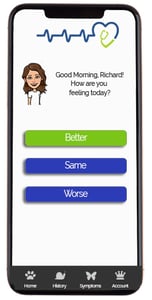
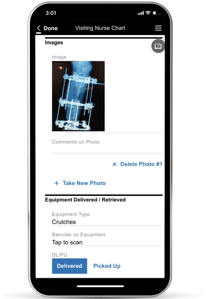
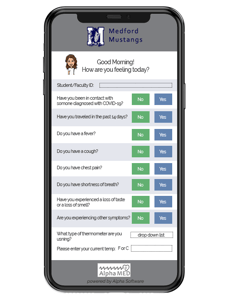
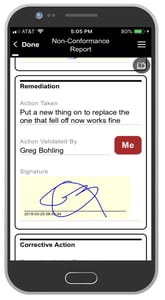
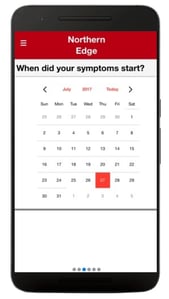
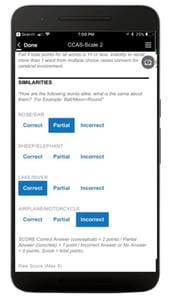
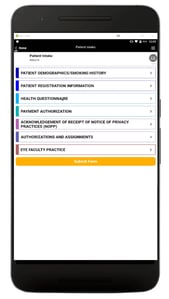
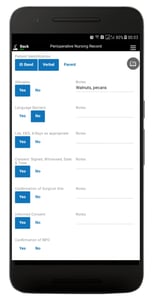
Whether your expertise is in development or design, Alpha Anywhere is the best mobile app design tool for HIPAA compliant healthcare apps. And we've made it easier than ever to get started with our new Alpha Anywhere Community Edition. This FREE development environment can help any medical office working on a management system - from practice management to patient scheduling to medical billing. We also have a team of experienced app designers and developers who have produced tutorials on how to build and design a medical care app for free.

Alpha Software Corporation
781-229-4500
The Alpha platform is the only unified mobile and web app development and deployment environment with distinct “no-code” and “low-code” components. Using the Alpha TransForm no-code product, business users and developers can take full advantage of all the capabilities of the smartphone to turn any form into a mobile app in minutes, and power users can add advanced app functionality with Alpha TransForm's built-in programming language. IT developers can use the Alpha Anywhere low-code environment to develop complex web or mobile business apps from scratch, integrate data with existing systems of record and workflows (including data collected via Alpha TransForm), and add additional security or authentication requirements to protect corporate data.
Alpha Software Corporation, based in Massachusetts, produces award-winning software that speeds mobile and web app development and deployment for business and IT. The core technology includes two components. Alpha Anywhere®, a full-stack low-code app development platform for building and deploying web and mobile apps. In just hours, Alpha TransForm® turns complex paper forms into powerful mobile forms that speed data collection.
Alpha Software is an InfoWorld Technology of the Year award winner, and scores near-perfect reviews from customers on crowdsourced review sites.
Customers rate Alpha Software highly for its speed of development, flexibility, offline apps, rich feature set and ability to scale predictably. For more information, visit https://www.alphasoftware.com/
