What is Quality Control Software?

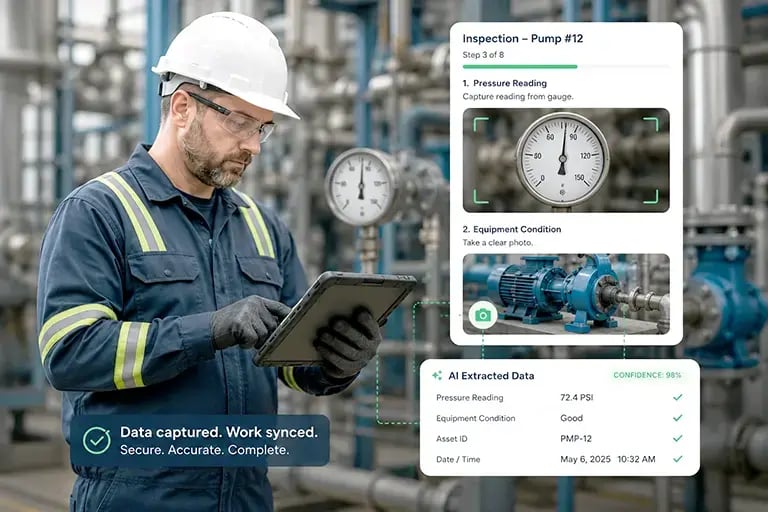
Quality control software for manufacturing is a digital system that standardises inspections, logs defects in real time, and routes non-conformances into corrective action workflows. It replaces paper checklists with mobile apps that work online and offline, capture photos and barcodes, trigger alerts when readings fall out of spec, and feed audit-ready reports to dashboards. Used to reduce scrap, lift First Pass Yield, and maintain ISO 9001 and ISO 13485 compliance.

Quality control software gives manufacturers a single system for inspections, defect tracking, and compliance reporting across the production line. A typical platform includes digital inspection checklists, photo and barcode capture, CAPA (Corrective and Preventive Action) workflows, real-time dashboards, document control, and audit trails. Modern systems integrate with ERP, MES, and legacy QMS software so inspection data flows into the systems of record without double entry.

Quality managers, plant managers, line operators, and compliance officers use QC software to standardise how inspections are performed, catch defects earlier, and produce the evidence auditors require. It is the foundation of a modern Quality Management System (QMS) and a core component of any digital manufacturing stack.

How Does Quality Control Differ from Quality Assurance?

Quality Control vs Quality Assurance: What's the Difference?

Quality control (QC) and quality assurance (QA) are both part of a quality management system (QMS), but they serve different functions. QC inspects the product; QA inspects the process.

Dimension Quality Control (QC) Quality Assurance (QA)
Focus The product The process
Purpose Identify and fix defects Prevent defects from occurring
Approach Corrective and reactive Preventive and proactive
When it happens During and after production Before and throughout production
Typical activities Inspections, testing, sampling Process audits, documentation, training
Owned by Quality inspectors, line operators Quality engineers, QA managers

In practice, QA defines the standards and QC verifies the output meets them. A complete QMS uses both.

manufacturing quality control software

What are the Risks of Poor Quality Control?

quality control manager

The risks of poor quality control affect everyone, from shop floor workers to employees responsible for deliveries. Products may need rework to meet quality specifications. This includes rework, which delays deliveries. A delay in a delivery can trigger a contractual clause that requires the organization to pay a hefty fine.

Once a manufacturer delivers its products, there may still be quality issues that go unnoticed. A customer may lose faith in a manufacturer if this happens even once.

Even if it's a one-time flaw in a product, word will likely spread, adversely affecting the company’s reputation. Failure to identify a flaw can lead to a lack of customer satisfaction and rework that could hurt your business.

What are the Advantages/Benefits of Quality Control Software?

Manufacturers use quality control solutions to minimize quality issues and save costs. With more organizations adopting these technologies, nobody wants to fall behind. Here are a few benefits and advantages of digitalizing quality control.

Quality control software solutions allow organizations to track product defects and address issues earlier. Such solutions have a central communication portal that improves communications between businesses and their customers. Manufacturers are also able to standardize processes and audit reports quicker.

Inferior products result in substantial costs. Digital quality control solutions pinpoint issues on the factory floor and address them on the spot. Eliminating quality issues before businesses deliver products reduces chargebacks, customer complaints, and lost sales.

Quality Control software for manufacturing

A main concern of manufacturers is to ensure their products meet quality control regulations like ISO 13485 for medical devices. A part of this process is maintaining compliance documents, which can be tedious. Quality control solutions allow large and small manufacturers to manage and store documents. A document control system enables companies to comply with industry standards more efficiently.

Traditional quality management solutions only work when connected to the internet. Low connectivity or network failures hamper productivity. Low-code platforms such as Alpha Anywhere and Alpha TransForm enable manufacturers to work online and offline. Once the internet connection is up and running again, the data updates automatically, saving valuable time.

What Does Quality Control Software Monitor?

manufacturing quality control KPI

Sampling inspections involve assessing the quality of a small batch of products. This is both costly and slow, especially with high-volume production lines. Machine Vision and Deep Learning technologies automate inspections, so each product is checked with steady and accurate results.

Machine vision systems provide image-based automatic inspection and analysis to guide quality control processes. The 2D and 3D solutions come equipped with sensors that perform inspection, reading, and measuring tasks more accurately than humans’.

However, machine vision solutions are not enough, as they cannot identify every flaw. Determining how to spot a defect based on an image alone can be complex. Highly trained professionals may miss hard to discern details suggesting a defect. Certain clues may mislead quality risk-averse workers to reject products needlessly.

Deep Learning techniques guide machine vision control systems to detect different types of flaws based on images. Deep learning methods train machine vision systems by feeding them multiple images. This allows them to identify what is acceptable quality and what is not, while continuously refining the results.

Who Uses Quality Control Software?

Quality control software is commonly used by Quality Managers, Plant Managers, and Compliance Officers to streamline inspections, reduce defects, and maintain audit readiness. It helps teams track non-conformance issues, collect inspection data in real time, and ensure that manufacturing production stays within spec.

Software Quality Control

Software quality control involves monitoring the quality of each software product. In contrast to quality assurance tools used in the software development life cycle, quality control focuses on software testing and review.

Quality control software testing aims to ensure products are consistent with performance and usability standards. Usually, companies define quality standards during the software development process. QU testing tools can also contribute to improving these standards.

Managers employing six sigma practices often adopt quality control software to carefully record and analyze data.

Quality Inspector for customer satisfaction

Quality management software can dramatically improve quality throughout the product lifecycle and help meet regulatory requirements.

Quality Control Solution Used by Pharma and Others

Life sciences companies have used quality control solutions to improve testing and eliminate paper-based processes. Research shows that quality control software accelerates productivity between 50% and 100%. For some businesses, digitizing and automating processes has led to reduced quality deviations by 65%.

What Features Should QC Software Include?

quality control app for quality control methods

What Features Should Quality Control Software Include?

The features below separate basic digital checklists from production-grade QC platforms. When evaluating quality control software for manufacturing, look for:

  1. 01

    Digital Inspection Checklists

    Configurable forms that replace paper. Operators complete inspections on tablets or phones, with required fields, conditional logic, and pass/fail scoring built in.

  2. 02

    Photo, Video & Barcode Capture

    Inline media attachments on every inspection record. Barcode and QR scanning ties inspections to specific work orders, batches, or serial numbers.

  3. 03

    Real-Time Alerts & Notifications

    Push notifications when readings fall out of spec, checklists are overdue, or manufacturing limits are reached. Routed to the right operator, supervisor, or QA manager.

  4. 04

    Offline Mode

    Full inspection capability without an internet connection. Data syncs automatically when connectivity returns. Critical for shop floors with poor signal.

  5. 05

    CAPA Workflow

    Non-conformances open a Corrective and Preventive Action ticket, route it for review, track resolution, and close the loop with verification evidence.

  6. 06

    Dashboards & Reporting

    Live KPIs for First Pass Yield, defect rates, inspection completion, and supplier quality. Exportable reports for audits and management review.

  7. 07

    Document Control

    Versioned SOPs, work instructions, and inspection procedures linked to the relevant checklist, so operators always work from the current revision.

  8. 08

    Audit Trail

    Time-stamped, user-attributed log of every inspection, edit, and approval. Essential for ISO 9001, ISO 13485, and FDA-regulated environments.

  9. 09

    ERP, MES & QMS Integration

    APIs and connectors push inspection data into existing systems of record. No double entry, no spreadsheet handoffs.

  10. 10

    Role-Based Access Control

    Different permissions for operators, inspectors, supervisors, and auditors. Sign-off and e-signature support for regulated workflows.

Risk Management Notifications

Pop-up notifications offer gentle nudges to operators to perform checklists, timed data collections, and notifying them when they’ve reached manufacturing limits. These notifications curtail the risks of product flaws and operator errors.

Instant notifications help reduce downtime; improve communications, and support staff and management.  

Digital quality checklists on mobile devices provide instant access to data for improved response times and quality improvements throughout the manufacturing process.

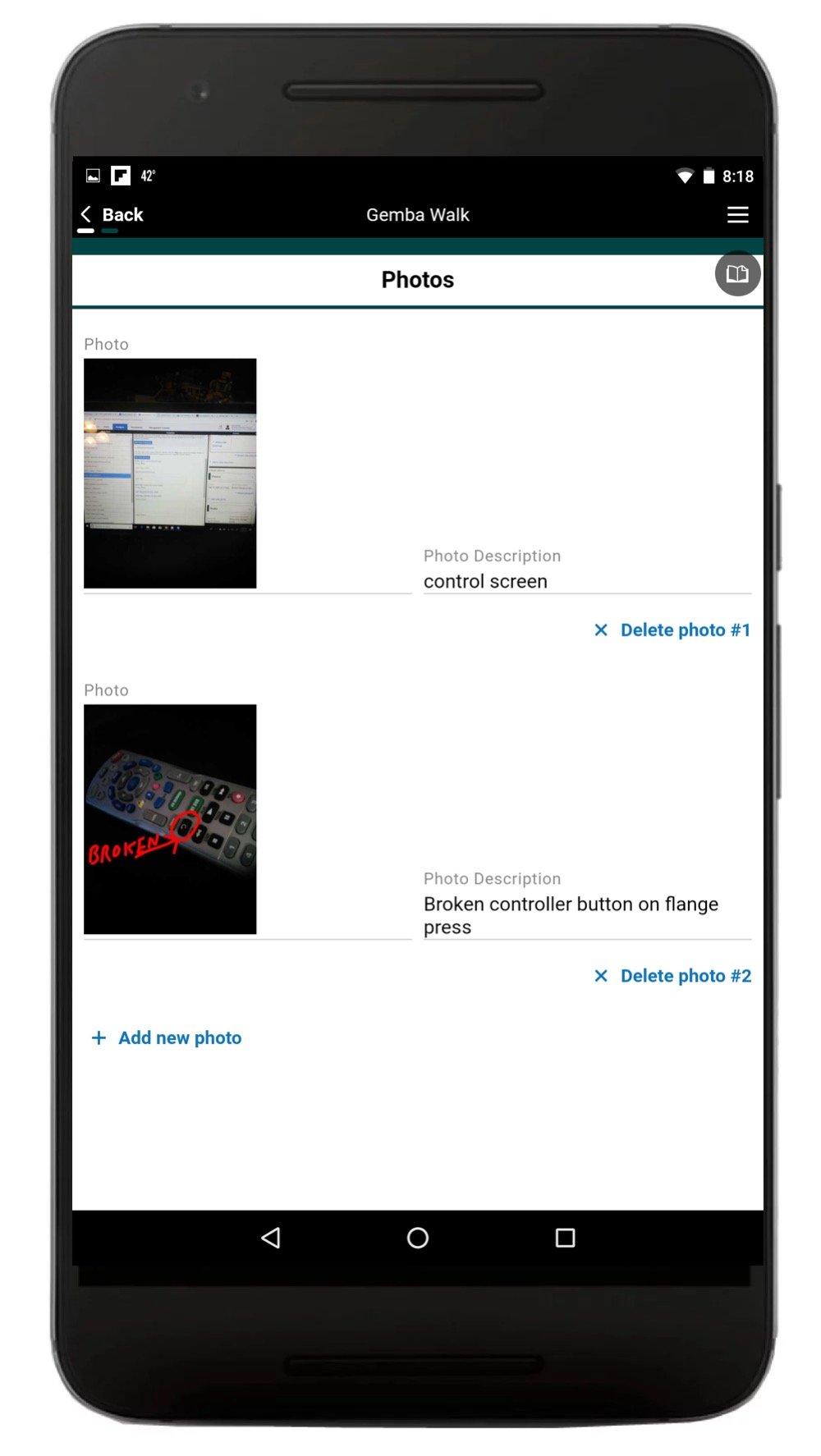
Alerts and notifications alert quality management to non-conformances so they can review and take corrective or preventative action (CAPA) immediately. Users can take photos of any product, run tests, enter data, and record defects in digital checklists. Document management solutions eliminate tedious paper-based processes throughout the product lifecycle.

Maximize Quality Control Efficiency at Minimal Cost With Low-Code

Quality control software enables manufacturers to manage inspections, increase productivity, and minimize product defects. Low-code platforms allow manufacturing and quality control personnel to create applications that maximize efficiency, reduce costs, and meet customer expectations. Our platform enables teams to build specialized inspection apps that handle the unique rigors of the shop floor.

Using Apps for Quality Control Inspections

Alpha TransForm and Alpha Anywhere allow shop floor workers with minimal coding expertise to create customized applications. Web-based and mobile applications for quality control save costs and increase efficiency by digitizing inspections and manufacturing processes 

  • Training management apps enable manufacturers to onboard new employees, track skill gaps, and introduce new quality control inspection processes.

Tulip's First Pass Yield apps allow quality control staff to track the number of defect-free units without the need for rework. The app calculates the First Pass Yield percentage by tallying the number of products that pass quality control the first time, divided by the total number of units entering the system. This gives a good indication of quality.

  • Alpha Software's inspection app works with or without a connection, scans barcodes and collects rich media, digital signatures and more. The software also includes built-in dashboards and reports at no extra cost.
  • EDN's quality inspection app sends instant notifications of machine stoppages and non-conformance alerts. This app gathers audit and inspection data and tracks corrective actions.
  • Form's inspection app works on IoS, Android, or desktop. It enables teams to build and assign audits, inspections, and checklists. An offline mode allows inspectors to do their job remotely, in areas with low internet connectivity or cellular signal.
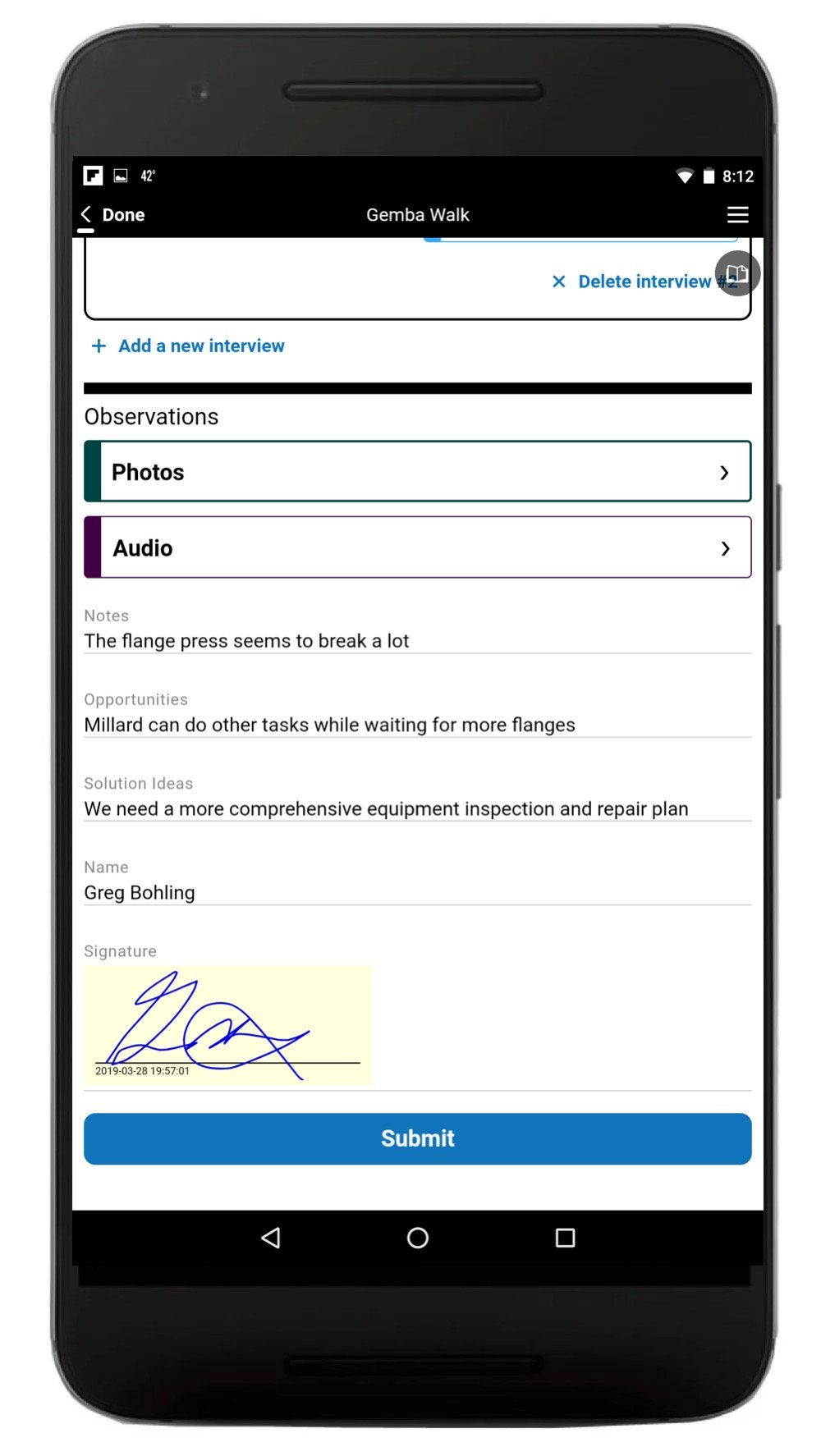
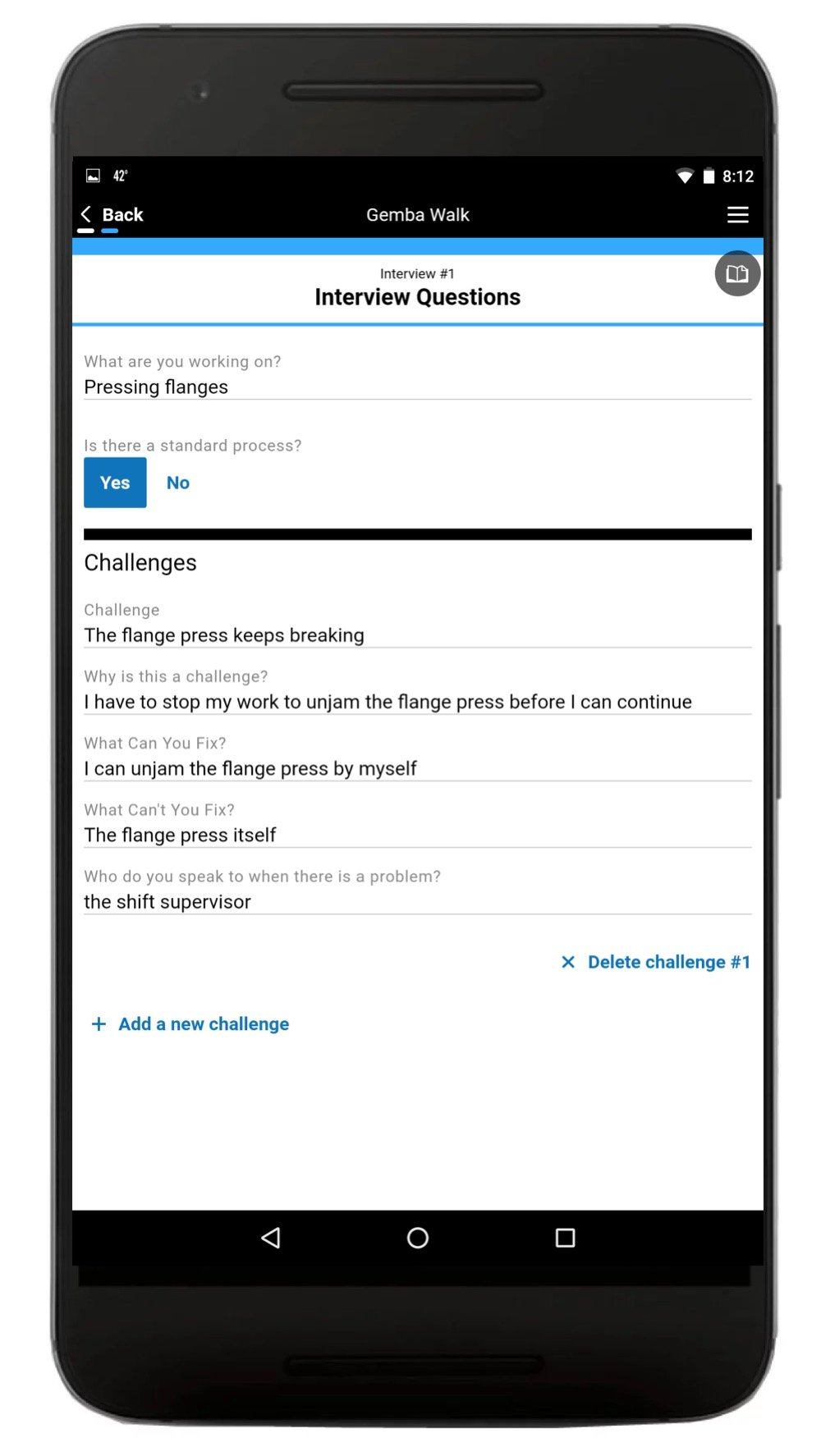
Quality Control Software Gemba App
Quality Control Software Gemba Interview
QMS Inspection App for QC
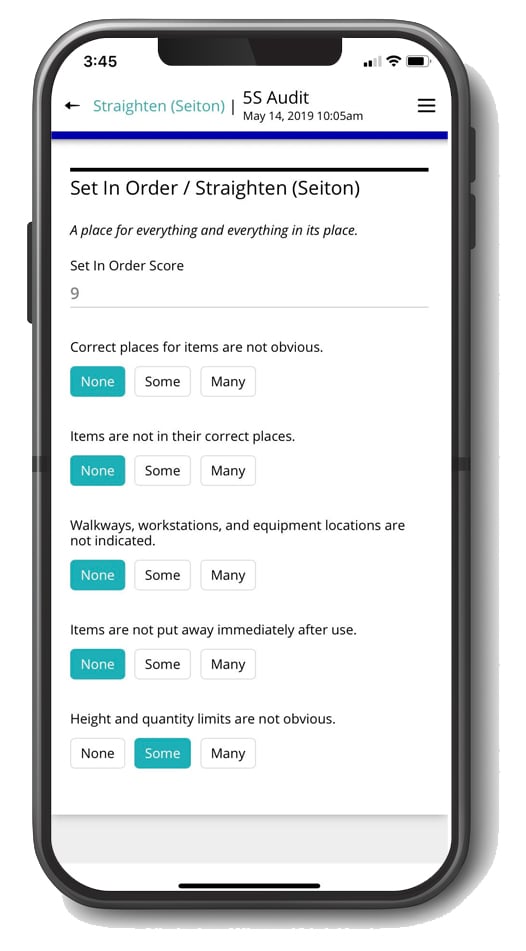
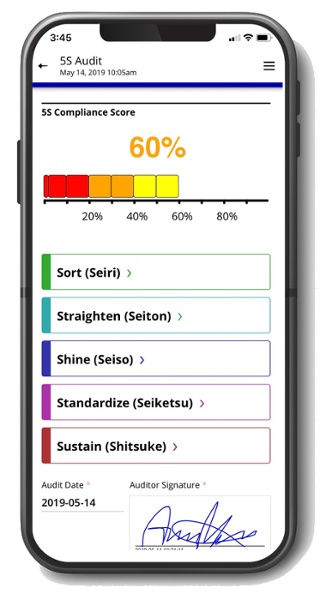
Quality Control 5S Audit App
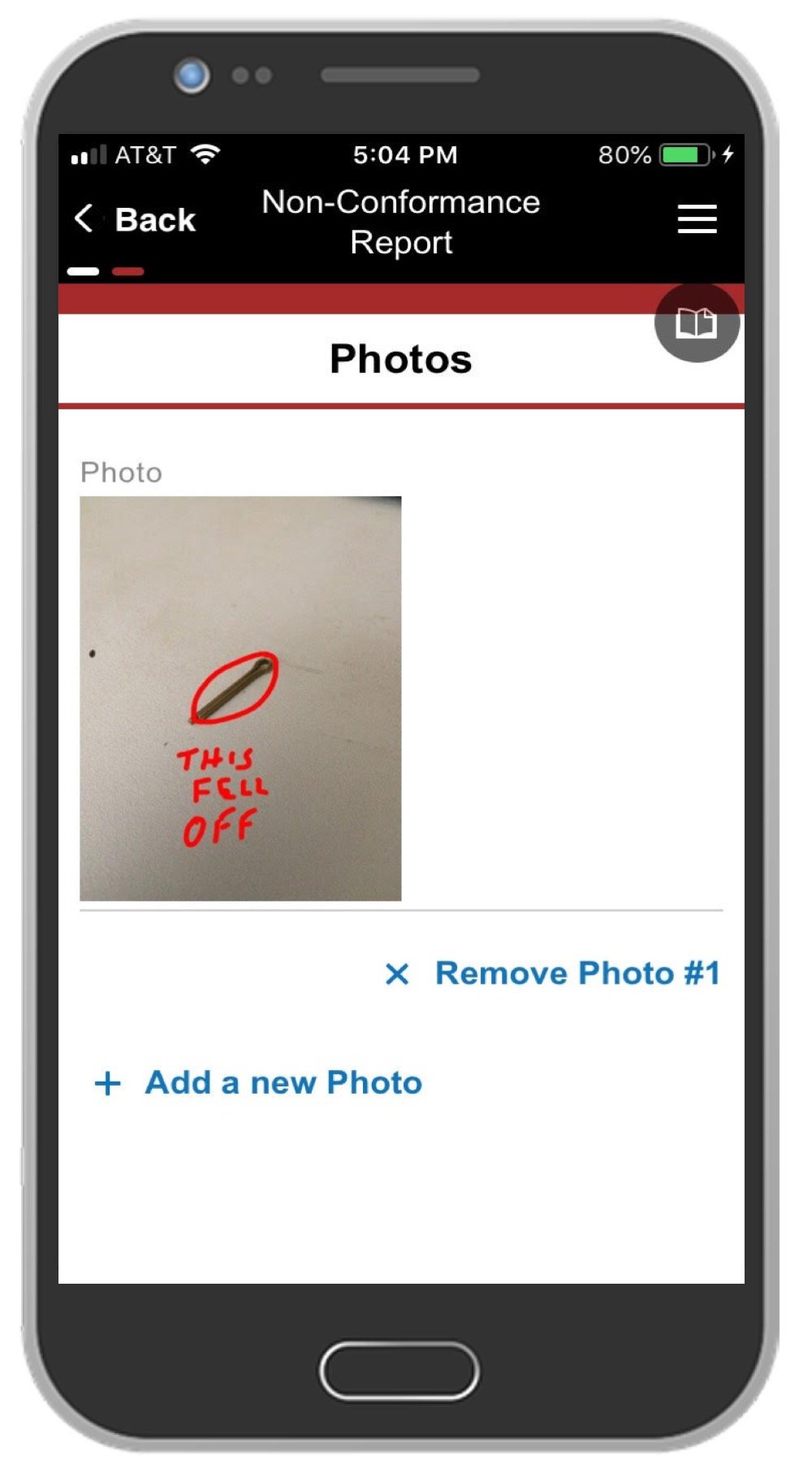
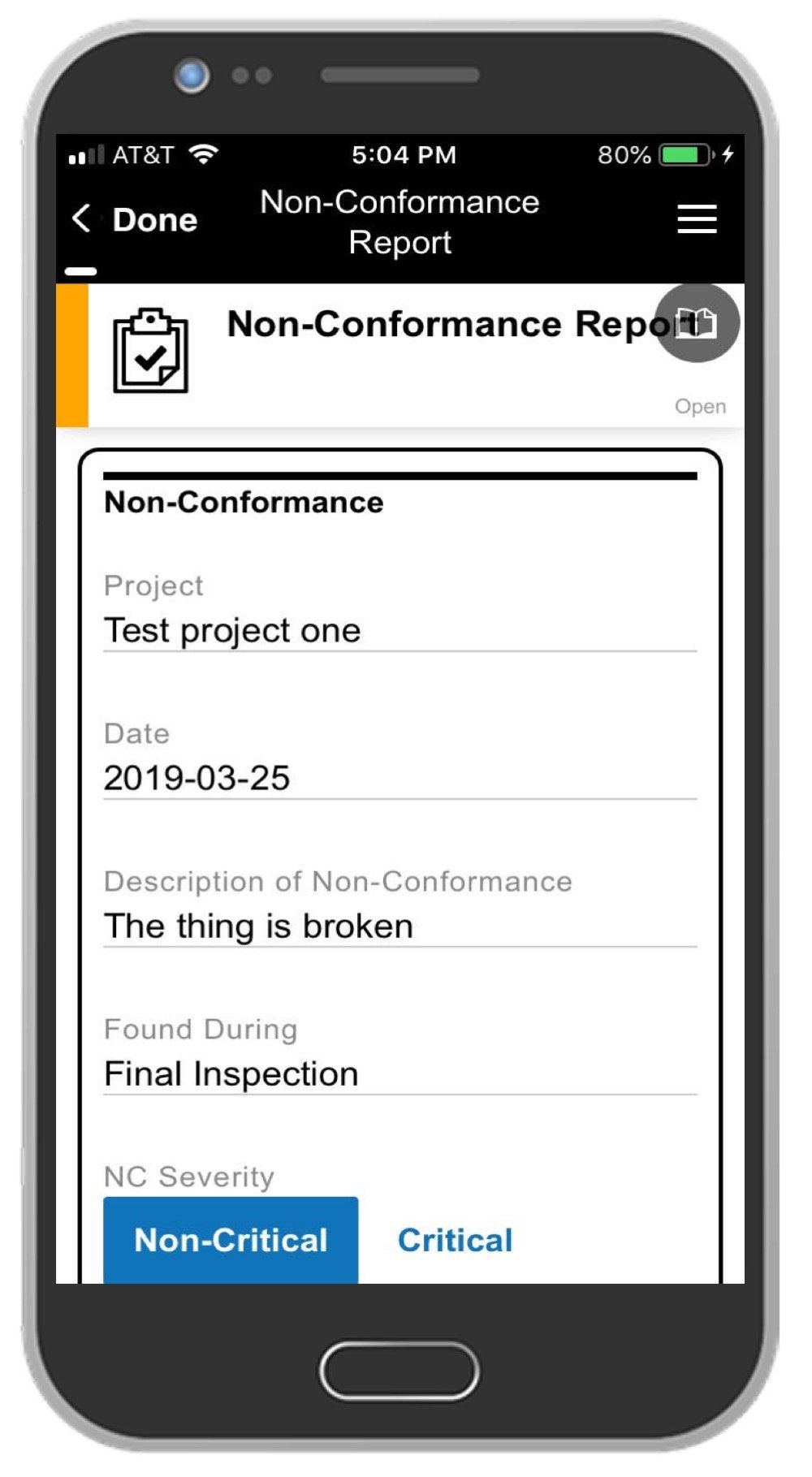
Quality Management Software Non-Conformance Report App
NCR App QMS quality control
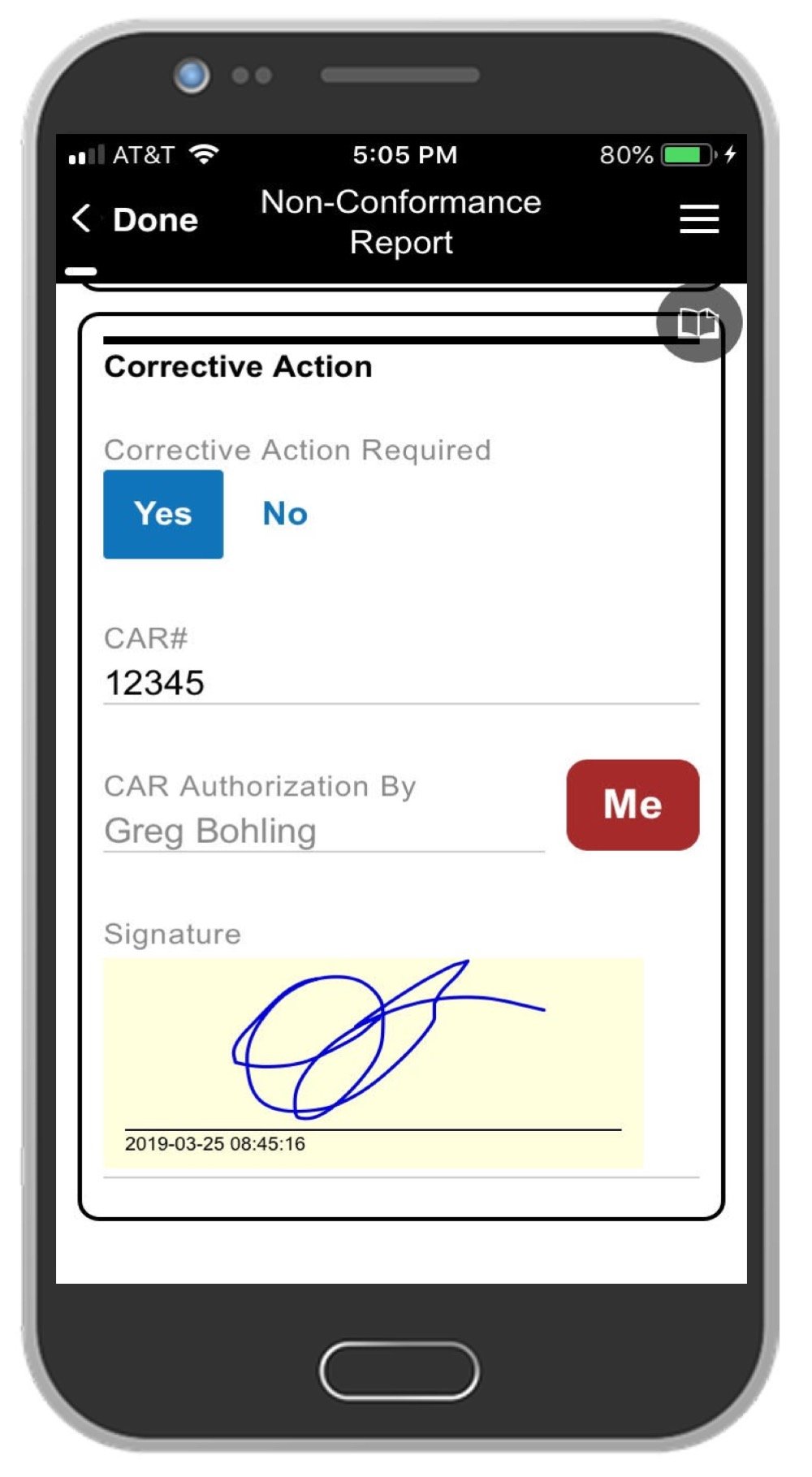
Quality Control Inspector Signature
5S Audit App Quality Safety Software

The Best Software for Quality Control

1factory

Manufacturers use 1factory to manage quality control processes within their factories and across their supply chains. Features include QC plans, automated CMM data Import, incoming/ in-process/final Inspections, supplier Collaboration, and more.


Reviews: Customer reviews are generally positive. Some say that it helped them create a meaningful quality plan with their suppliers. Others say that it helped them reduce non-conformances. There were few negative reviews. Capterra score: 5.0


Alpha Software

Alpha Software solutions take the heavy lifting out of app development, producing powerful solutions that map to your processes and solve real business problems. These solutions leverage mobile devices for data collection and include built-in dashboards and reporting. The apps can leverage the latest mobile features: Camera, GPS, bar code scanning, digital signatures, and more for fast, accurate data capture. The software can export data to Excel or integrate with ERP, MES, or even legacy QMS system applications for quality control needs. The company offers Gemba Walk, 5S Audit and Non-Conformance Report solutions you can try for free.

Reviews: Reviewers appreciated the quick learning curve. Other users loved the software's capability to create versatile solutions. Reviewers also said that it encourages technical and non-technical staff to collaborate on projects. Alpha Software has recently received a Winter High Performer 2022 recognition from g2.com. Capterra score 5 stars.

manufacturing quality assurance software

The Falcony Web App

The Falcony web-based app uses browser-based technology to conduct inspections and provide reports (available on IoS, Android, or desktop computer). Features include image attachments, automated PDF reports, and real-time statistics.


Reviews: Many customers like its intuitiveness, easy integration, and real-time monitoring. However, some customers found features lacked customizability and login was difficult. Capterra score: 4.7/5.0.


Safety Chain

Safety Chain's OEE (Overall Equipment Effectiveness) software tracks equipment efficiency. Features include a controls audit, asset tracking, alerts and notifications, and an activity dashboard.


Reviews: Reviewers appreciated the software's flexibility and customizability. Some cited the extensive SPC (statistical process control) tools with real-time control charts, stability, and intuitiveness as advantages. Others said the document versioning method needed updating. Capterra score: 5.0


Key aspects of quality management software are essential for all types of manufacturing businesses, especially smaller companies. Studies show that it improves quality standards while increasing production levels and customer satisfaction. These solutions can also lower the cost of quality efforts when used for preventative measures.

Research shows QMS software provides a high ROI, reduces errors, and creates continuous improvement across the enterprise. 

FAQs

What is quality control software used for in manufacturing?
Quality control software is used to digitise and standardise inspections across the production line. Manufacturers use it to log defects, run checklists on mobile devices, trigger alerts when readings fall out of spec, manage corrective actions, and produce audit-ready reports. The goal is fewer defects, faster inspections, and consistent compliance.
What is the difference between quality control software and quality assurance software?
Quality control software inspects the product — it captures defect data, runs checklists, and verifies finished output meets spec. Quality assurance software focuses on the process — it manages SOPs, training records, process audits, and the procedures that prevent defects in the first place. Most quality management systems use both.
What features should manufacturing quality control software include?
At minimum: digital checklists, photo and barcode capture, real-time alerts, offline mode, CAPA workflow, dashboards, document control, audit trails, ERP/MES integration, and role-based access. Platforms missing offline mode or CAPA tracking are generally not production-ready for regulated manufacturing.
Who uses quality control software?
Quality managers, plant managers, compliance officers, line operators, and quality inspectors are the primary users. In larger organisations, supplier quality engineers and auditors also use it for incoming inspections and supplier scorecards.
Does quality control software work offline?
Production-grade platforms work fully offline. Inspections, photo capture, and form completion all function without connectivity. Data syncs automatically when the device reconnects. This is essential for shop floors, warehouses, and remote inspection sites with unreliable signal.
How does quality control software help with ISO compliance?
It maintains the documentation and audit trail required by ISO 9001 and ISO 13485 — versioned procedures, time-stamped inspection records, user attribution, CAPA history, and e-signatures. Auditors can pull a complete record of any inspection, defect, or corrective action on demand.
What is a quality control inspection app?
A quality control inspection app is a mobile or tablet application that lets inspectors complete checklists, capture defects with photos and barcodes, and submit results in real time. It replaces paper inspection forms and connects to a central QC platform where data is aggregated, analysed, and reported.
How does quality control software improve First Pass Yield?
By catching defects earlier and feeding non-conformance data back to the line in real time. Operators are alerted to recurring defect patterns, root causes are identified faster through CAPA, and process adjustments happen within shifts rather than weeks. Documented FPY improvements of 15–40% are common after digitisation.