Trusted by industry leaders for real-world operational applications
Built for ISO 9001 and ISO 13485 workflows

Johnson & Johnson, Cognizant, Igloo, National Beverage, Luxottica, Karavan, Intel, Bruker, Tricab, and Kaeser Compressor logos

What Features Should Quality Control Software Include?

Manufacturers like the ones above run quality control on Alpha TransForm. These are the ten capabilities that separate a basic digital checklist from a production-grade QC platform, and how Alpha handles each one.

Digital Inspection Checklists

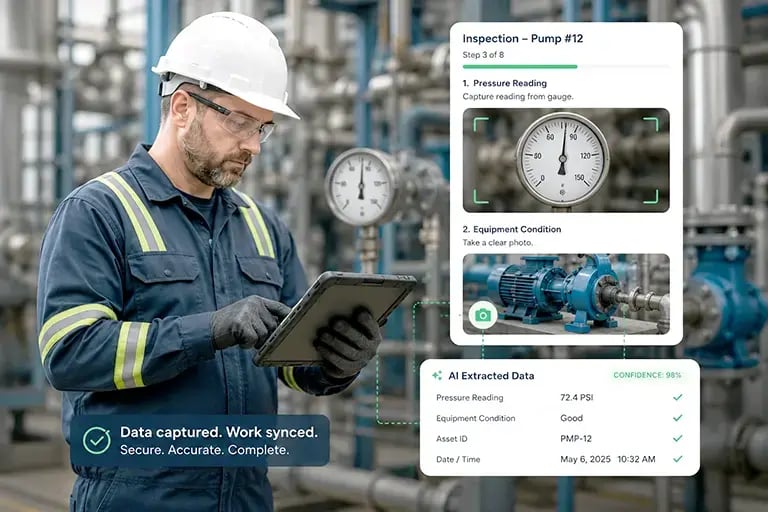
Alpha TransForm replaces paper forms with configurable digital checklists. Operators run inspections on tablets or phones with required fields, conditional logic, and pass/fail scoring built in. Build your first one without a developer.

Photo, Video & Barcode Capture

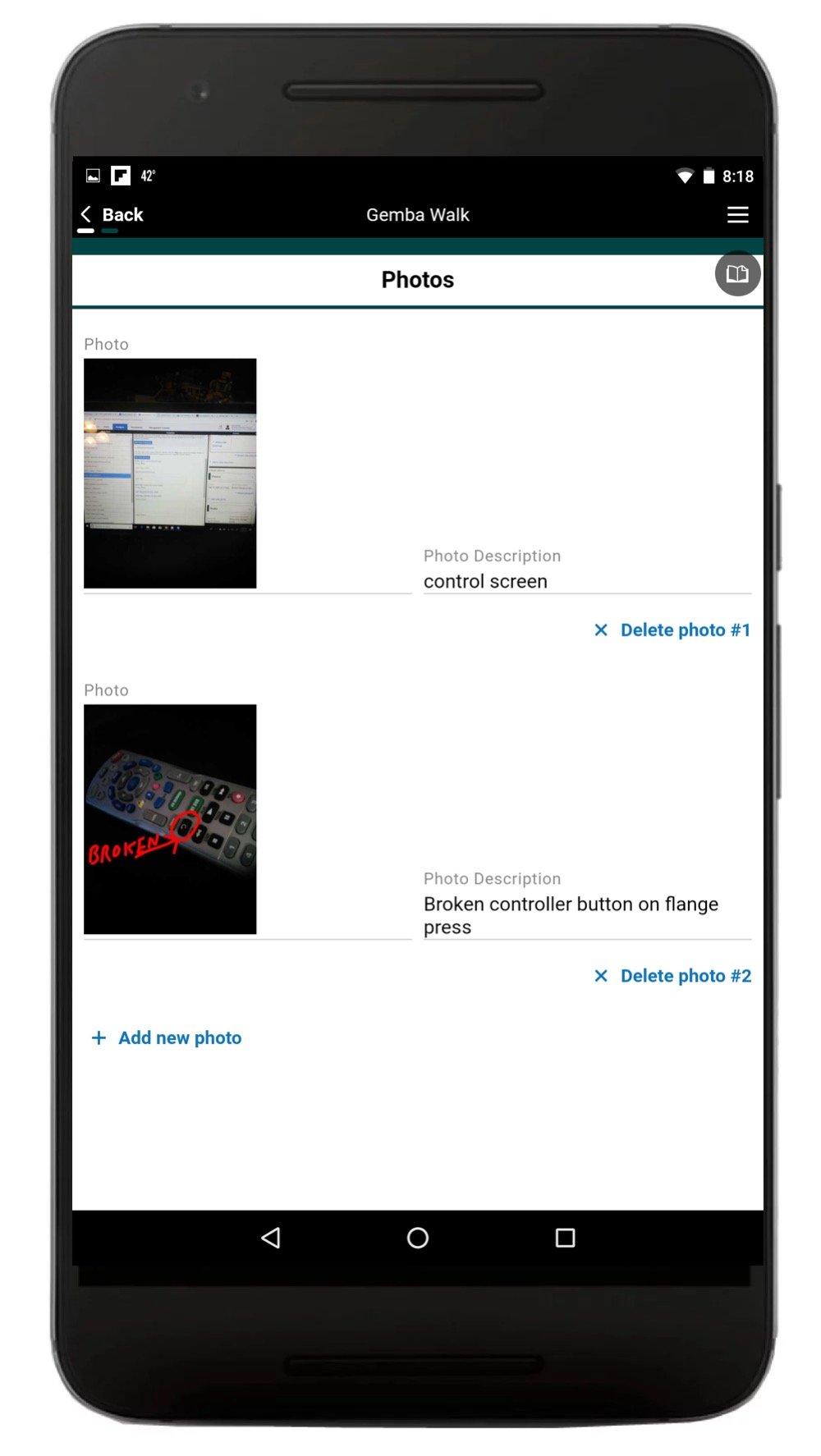
Attach media inline on every inspection record. Built-in barcode and QR scanning ties each inspection to a specific work order, batch, or serial number, so a defect traces back to the exact unit.

Real-Time Alerts & Notifications

Push notifications fire when readings fall out of spec, checklists run overdue, or manufacturing limits are hit. Alpha routes each alert to the right operator, supervisor, or QA manager instead of a shared inbox nobody watches.

Offline Mode

Alpha TransForm runs full inspections with no connection and syncs automatically when signal returns. This is the capability most shop floors need first and most platforms handle worst.

CAPA Workflow

A non-conformance opens a Corrective and Preventive Action ticket automatically, routes it for review, tracks resolution, and closes the loop with verification evidence attached.

Dashboards & Reporting

Live KPIs for First Pass Yield, defect rates, inspection completion, and supplier quality. Export audit-ready reports for management review without rebuilding them in a spreadsheet.

Document Control

Link versioned SOPs, work instructions, and inspection procedures directly to the relevant checklist. Operators always work from the current revision because the app serves it to them.

Audit Trail

Every inspection, edit, and approval is logged with a timestamp and a user. This is what auditors ask for in ISO 9001, ISO 13485, and FDA-regulated environments, and what paper systems can't produce.

ERP, MES & QMS Integration

Alpha pushes inspection data into your existing systems of record through APIs and prebuilt connectors. No double entry, no spreadsheet handoffs between the floor and the back office.

Role-Based Access Control

Separate permissions for operators, inspectors, supervisors, and auditors, with sign-off and e-signature support for regulated workflows.

What is Quality Control Software?

Quality control software for manufacturing is a digital system that standardizes inspections, logs defects in real time, and routes non-conformances into corrective action workflows. It replaces paper checklists with mobile apps that work online and offline, capture photos and barcodes, and feed audit-ready reports to dashboards.

A typical platform covers digital inspection checklists, photo and barcode capture, CAPA workflows, real-time dashboards, document control, and audit trails. Modern systems integrate with ERP, MES, and legacy QMS software so inspection data reaches the systems of record without double entry.

Quality managers, plant managers, line operators, and compliance officers use it to standardize how inspections are performed, catch defects earlier, and produce the evidence auditors require. It's the foundation of a modern Quality Management System and a core part of any digital manufacturing stack.

QC vs QA

Quality Control vs Quality Assurance: What's the Difference?

Quality control (QC) and quality assurance (QA) are both part of a quality management system (QMS), but they serve different functions. QC inspects the product; QA inspects the process.

Dimension Quality Control (QC) Quality Assurance (QA)
Focus The product The process
Purpose Identify and fix defects Prevent defects from occurring
Approach Corrective and reactive Preventive and proactive
When it happens During and after production Before and throughout production
Typical activities Inspections, testing, sampling Process audits, documentation, training
Owned by Quality inspectors, line operators Quality engineers, QA managers
Quality inspector reviewing production output on a manufacturing floor

What are the Risks of Poor Quality Control?

Poor quality control costs more than the defect itself. Products that miss spec need rework, rework delays delivery, and a late delivery can trigger contractual penalties that dwarf the cost of catching the problem on the line.

The bigger risk is what ships. A defect that reaches a customer costs you the rework, the chargeback, and the account. One flaw is enough for a buyer to question every shipment that follows, and in industries where procurement teams talk, that reputation damage outlasts the fix.

See How Manufacturers Digitize Quality Control
Mobile inspection app running a quality checklist on a factory floor

What are the Advantages of Quality Control Software?

Manufacturers use quality control software to catch defects earlier and cut the cost of fixing them. Digital systems track product defects as they happen, standardize how inspections run across shifts and lines, and turn audit reporting into an export rather than a week of compiling paper.

Why Your Shop Floor Needs Mobile Manufacturing Quality Control Software

Inferior product is expensive. Catching a defect on the floor costs a fraction of catching it after delivery, and eliminating quality issues before shipment reduces chargebacks, customer complaints, and lost accounts.

Compliance is the other driver. Manufacturers in regulated industries have to prove products meet standards like ISO 13485 for medical devices, and most of that proof is documentation. A document control system keeps procedures versioned and inspection records retrievable, which is what auditors actually ask for. This applies to small manufacturers as much as large ones.

Connectivity is where most platforms fail. Traditional quality management systems only work online, so a dropped signal on the floor stops inspections. Alpha TransForm and Alpha Anywhere run fully offline and sync automatically once the connection returns.

See Alpha's Quality Management Solution
Dashboard showing quality control KPIs and defect tracking for a production line

What Does Quality Control Software Monitor?

Sampling inspections involve assessing the quality of a small batch of products. This is both costly and slow, especially on high-volume production lines. Machine vision and deep learning technologies automate inspections, so each product is checked with steady and accurate results.

Machine vision systems provide image-based automatic inspection and analysis to guide quality control processes. The 2D and 3D solutions come equipped with sensors that perform inspection, reading, and measuring tasks more accurately than humans.

Machine vision alone is not enough, as it cannot identify every flaw. Determining whether a defect exists from an image can be complex. Highly trained professionals may miss details that suggest a defect, and certain clues can mislead risk-averse workers into rejecting products needlessly.

Deep learning techniques guide machine vision systems to detect different types of flaws based on images. The methods train these systems by feeding them multiple images, allowing them to identify what is acceptable quality and what is not while continuously refining the results.

Inspector completing a Gemba Walk checklist on a mobile device

Who Uses Quality Control Software?

Quality control software is commonly used by Quality Managers, Plant Managers, and Compliance Officers to streamline inspections, reduce defects, and maintain audit readiness. It helps teams track non-conformance issues, collect inspection data in real time, and ensure that manufacturing production stays within spec.

Software Quality Control

Software quality control involves monitoring the quality of each software product. In contrast to quality assurance tools used in the software development life cycle, quality control focuses on software testing and review.

Quality control software testing aims to ensure products are consistent with performance and usability standards. Usually, companies define quality standards during the software development process. QC testing tools can also contribute to improving these standards.

Managers employing six sigma practices often adopt quality control software to carefully record and analyze data.

Quality management software can dramatically improve quality throughout the product lifecycle and help meet regulatory requirements.

Quality Control Solution Used by Pharma and Others

Life sciences companies have used quality control solutions to improve testing and eliminate paper-based processes. Research shows that quality control software accelerates productivity between 50% and 100%. For some businesses, digitizing and automating processes has led to reduced quality deviations by 65%.

Real-Time Alerts and Notifications for Quality Control

Pop-up notifications offer gentle nudges to operators to perform checklists, timed data collections, and notifying them when they’ve reached manufacturing limits. These notifications curtail the risks of product flaws and operator errors.

Instant notifications help reduce downtime, improve communications, and support staff and management.

Digital quality checklists on mobile devices provide instant access to data for improved response times and quality improvements throughout the manufacturing process.

Alerts and notifications alert quality management to non-conformances so they can review and take corrective or preventative action (CAPA) immediately. Users can take photos of any product, run tests, enter data, and record defects in digital checklists. Document management solutions eliminate tedious paper-based processes throughout the product lifecycle.

Maximize Quality Control Efficiency at Minimal Cost With Low-Code

Quality control software enables manufacturers to manage inspections, increase productivity, and minimize product defects. Low-code platforms allow manufacturing and quality control personnel to create applications that maximize efficiency, reduce costs, and meet customer expectations. Our platform enables teams to build specialized inspection apps that handle the unique rigors of the shop floor.

Using Apps for Quality Control Inspections

Alpha TransForm and Alpha Anywhere allow shop floor workers with minimal coding expertise to create customized applications. Web-based and mobile applications for quality control save costs and increase efficiency by digitizing inspections and manufacturing processes.

  • Training management apps enable manufacturers to onboard new employees, track skill gaps, and introduce new quality control inspection processes.
  • Tulip's First Pass Yield apps allow quality control staff to track the number of defect-free units without the need for rework. The app calculates the First Pass Yield percentage by tallying the number of products that pass quality control the first time, divided by the total number of units entering the system. This gives a good indication of quality.
  • Alpha Software's inspection app works with or without a connection, scans barcodes and collects rich media, digital signatures and more. The software also includes built-in dashboards and reports at no extra cost.
  • EDN's quality inspection app sends instant notifications of machine stoppages and non-conformance alerts. This app gathers audit and inspection data and tracks corrective actions.
  • Form's inspection app works on iOS, Android, or desktop. It enables teams to build and assign audits, inspections, and checklists. An offline mode allows inspectors to do their job remotely, in areas with low internet connectivity or cellular signal.
Quality Control Software Gemba App
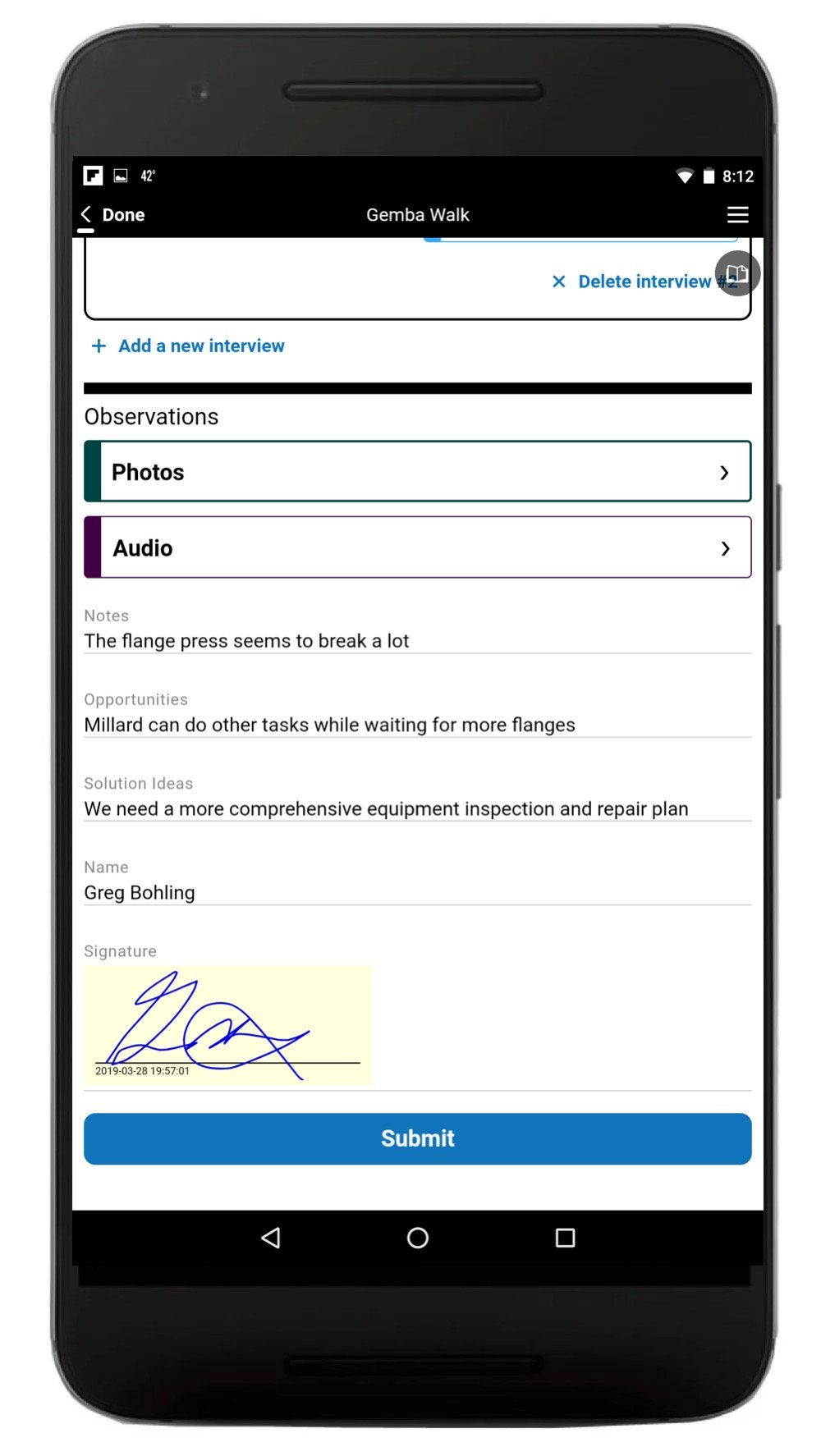
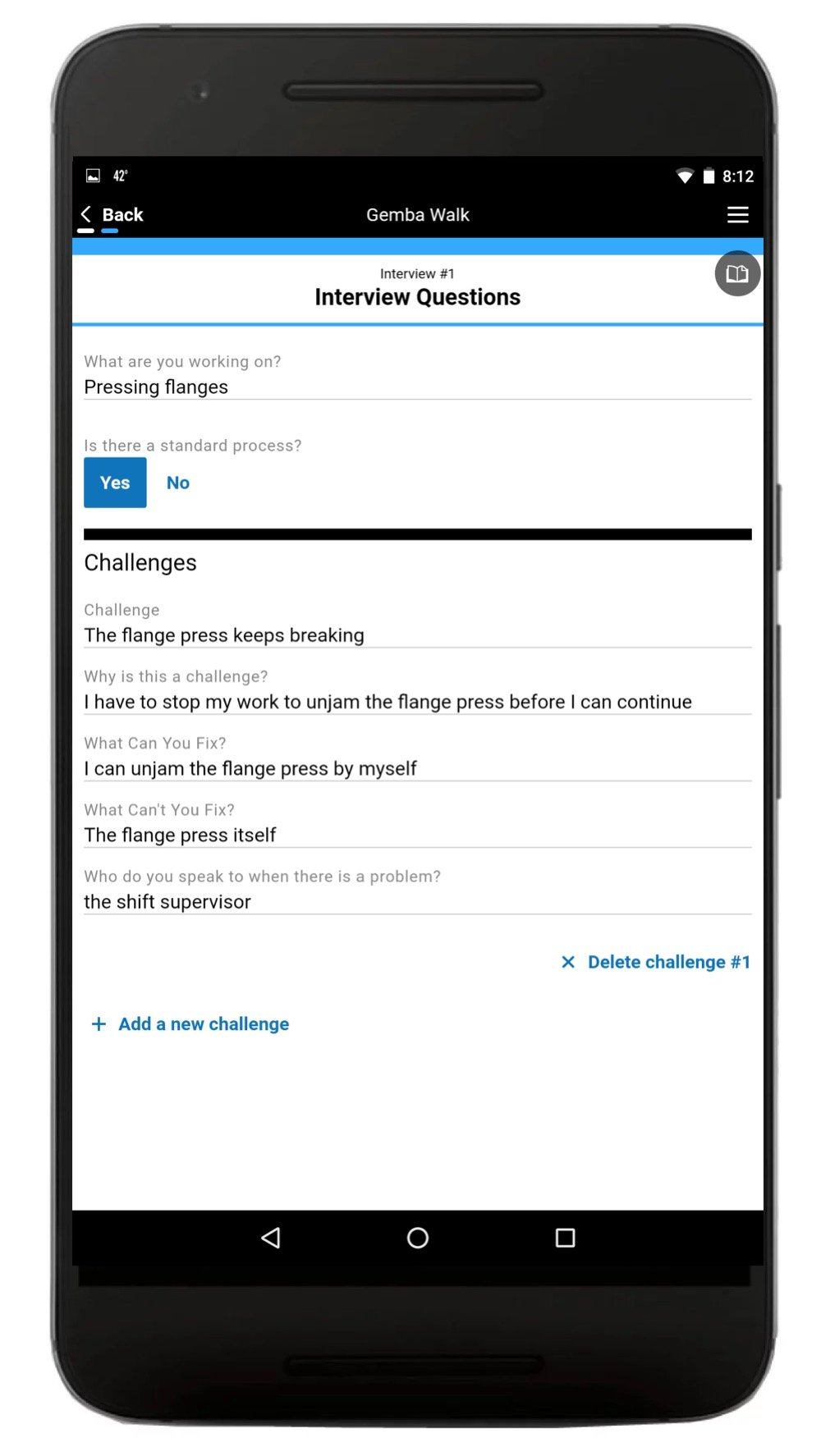
Quality Control Software Gemba Interview
QMS Inspection App for QC
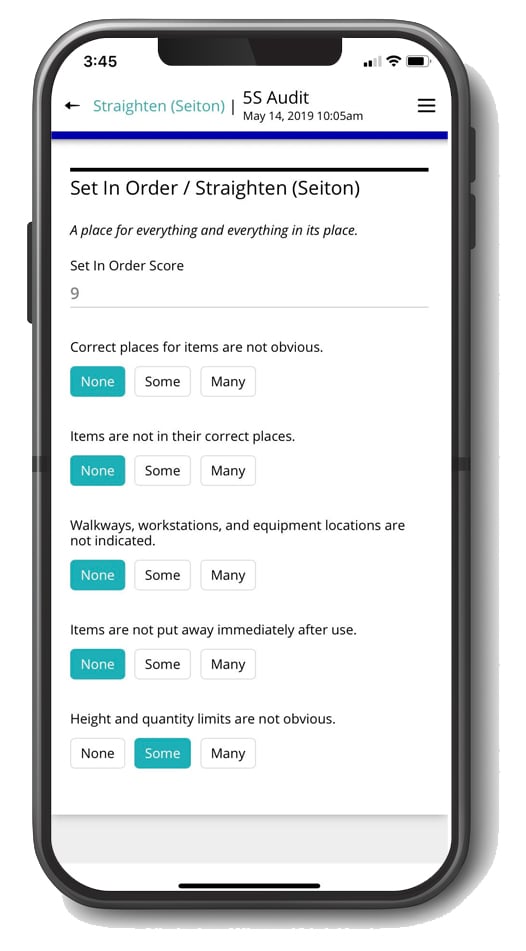
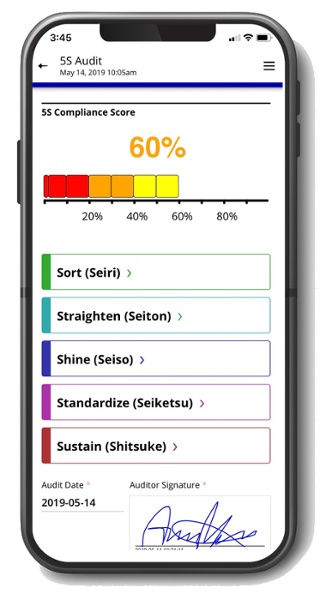
Quality Control 5S Audit App
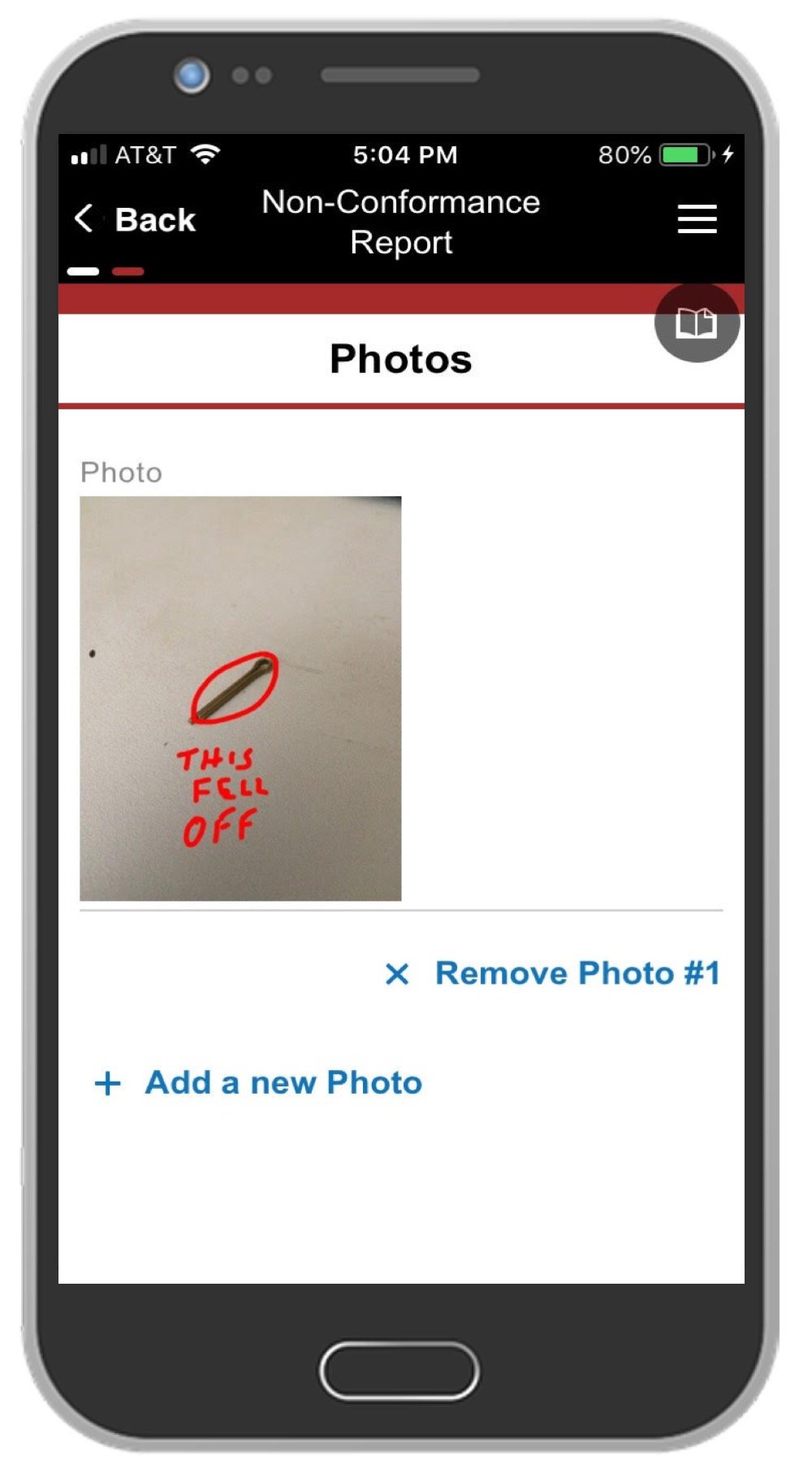
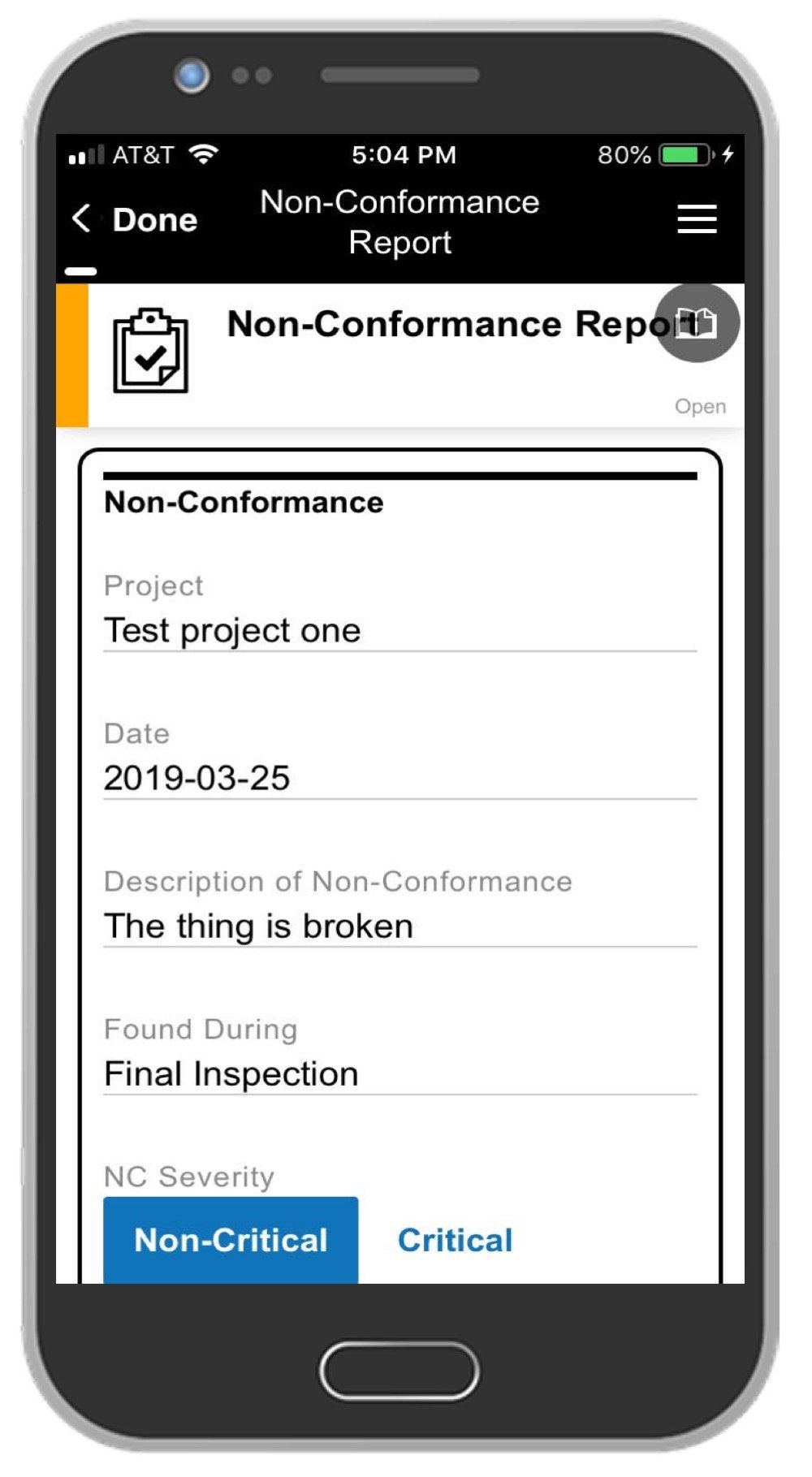
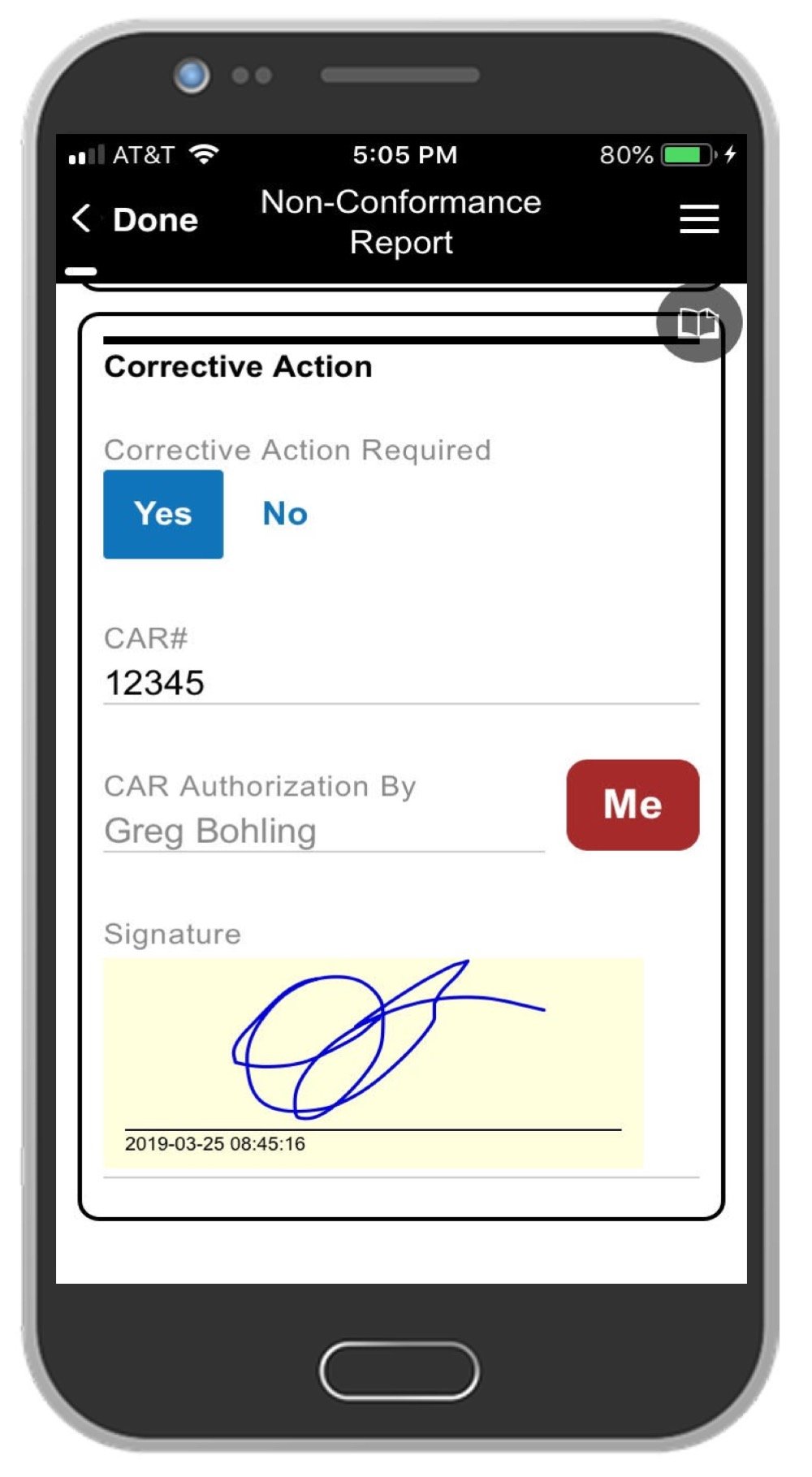
Quality Management Software Non-Conformance Report App
NCR App QMS quality control
Quality Control Inspector Signature
5S Audit App Quality Safety Software

The Best Software for Quality Control

Quality management software matters for manufacturers of every size, and especially for smaller companies. Studies show it improves quality standards while lifting production levels and customer satisfaction, lowers the cost of quality when used preventatively, and delivers high ROI through fewer errors and continuous improvement across the enterprise.

Alpha Software

Best for custom inspection apps and offline data capture

Alpha builds inspection apps that map to your existing process rather than a fixed template. Mobile data capture uses camera, GPS, barcode scanning and digital signatures, with dashboards and reporting included. Data exports to Excel or integrates with ERP, MES, and legacy QMS systems.
What reviewers say: Reviewers cite a quick learning curve and the range of solutions they can build. Several noted it lets technical and non-technical staff collaborate. Capterra 5.0

Try Gemba Walk, 5S Audit and NCR apps free

1factory

Best for supplier quality and CMM-driven inspection

Manufacturers use 1factory to manage quality control processes within their factories and across their supply chains. Features include QC plans, automated CMM data import, incoming, in-process and final inspections, and supplier collaboration.
What reviewers say: Positive overall. Users cite meaningful supplier quality plans and reduced non-conformances. Few negative reviews. Capterra 5.0

Falcony

Best for lightweight browser-based audits

The Falcony web-based app uses browser technology to conduct inspections and generate reports, available on iOS, Android, or desktop. Features include image attachments, automated PDF reports, and real-time statistics.
What reviewers say: Customers like the intuitiveness, easy integration and real-time monitoring. Some found features lacked customizability and login difficult. Capterra 4.7

Safety Chain

Best for OEE and statistical process control

Safety Chain's OEE software tracks overall equipment effectiveness. Features include a controls audit, asset tracking, alerts and notifications, and an activity dashboard.
What reviewers say: Reviewers appreciated the flexibility and customizability, and cited extensive SPC tools with real-time control charts. Others said document versioning needed updating. Capterra 5.0

FAQs

What is quality control software used for in manufacturing?
Quality control software is used to digitize and standardize inspections across the production line. Manufacturers use it to log defects, run checklists on mobile devices, trigger alerts when readings fall out of spec, manage corrective actions, and produce audit-ready reports. The goal is fewer defects, faster inspections, and consistent compliance.
What is the difference between quality control software and quality assurance software?
Quality control software inspects the product. It captures defect data, runs checklists, and verifies finished output meets spec. Quality assurance software focuses on the process, managing SOPs, training records, process audits, and the procedures that prevent defects in the first place. Most quality management systems use both.
What features should manufacturing quality control software include?
At minimum: digital checklists, photo and barcode capture, real-time alerts, offline mode, CAPA workflow, dashboards, document control, audit trails, ERP and MES integration, and role-based access. Platforms missing offline mode or CAPA tracking are generally not production-ready for regulated manufacturing.
Who uses quality control software?
Quality managers, plant managers, compliance officers, line operators, and quality inspectors are the primary users. In larger organizations, supplier quality engineers and auditors also use it for incoming inspections and supplier scorecards.
Does quality control software work offline?
Production-grade platforms work fully offline. Inspections, photo capture, and form completion all function without connectivity, and data syncs automatically when the device reconnects. This is essential for shop floors, warehouses, and remote inspection sites with unreliable signal.
How does quality control software help with ISO compliance?
It maintains the documentation and audit trail required by ISO 9001 and ISO 13485: versioned procedures, time-stamped inspection records, user attribution, CAPA history, and e-signatures. Auditors can pull a complete record of any inspection, defect, or corrective action on demand.
What is a quality control inspection app?
A quality control inspection app is a mobile or tablet application that lets inspectors complete checklists, capture defects with photos and barcodes, and submit results in real time. It replaces paper inspection forms and connects to a central QC platform where data is aggregated, analyzed, and reported.
How does quality control software improve First Pass Yield?
By catching defects earlier and feeding non-conformance data back to the line in real time. Operators are alerted to recurring defect patterns, root causes are identified faster through CAPA, and process adjustments happen within shifts rather than weeks. Documented FPY improvements of 15–40% are common after digitization.